
.svg)
Si vous souhaitez partager une audience Facebook avec un autre compte publicitaire, voici comment procéder.
Rendez-vous sur https://www.facebook.com/ads/manager/audiences.
Cochez les audiences que vous souhaitez partager.
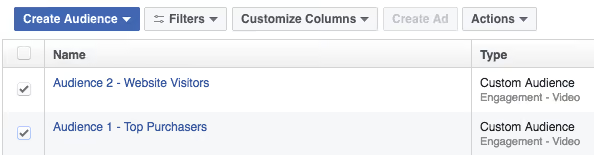
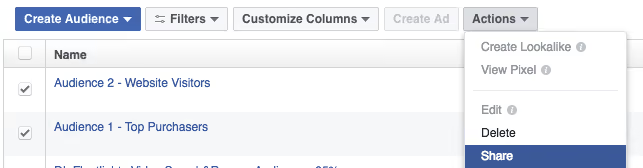
Sélectionnez « Partager» dans le menu déroulant ci-dessous.
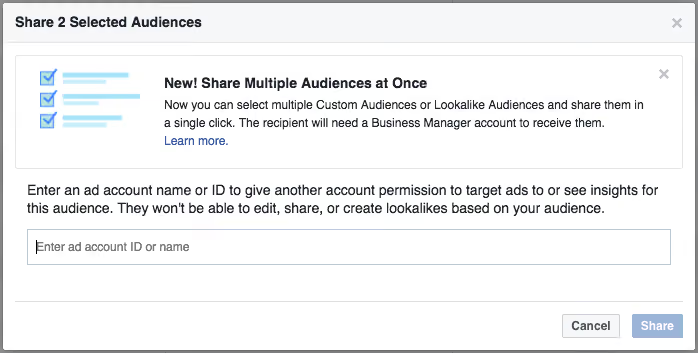
Dans la fenêtre contextuelle qui s'affiche, saisissez l'identifiant du compte publicitaireavec lequel vous souhaitez partager les audiences. Cliquez sur « Partager ».
Une fois le partage terminé, les audiences seront disponibles dans le compte publicitaire avec lequel vous avez effectué le partage. Ils pourront alors cibler cette audience dans le cadre d'une campagne publicitaire diffusée à partir de leur compte publicitaire.