
.svg)
.svg)
Alors que les acheteurs de voitures privilégient de plus en plus Internet pour rechercher et comparer des véhicules, ils s'ouvrent également à l'achat en ligne.
87 % des acheteurs potentiels de véhicules utilisent des outils en ligne pour effectuer des recherches – EY Mobility Consumer Index
Google tient compte de ces changements à venir et facilite l'achat de véhicules en ligne grâce aux annonces « Véhicules », l'une des dernières nouveautés parmi ses types de campagnes.
Qu'est-ce que les annonces Google Vehicle ?
Les annonces automobiles vous permettent de promouvoir votre stock en ligne et local auprès des acheteurs potentiels sur Google.
Les annonces présentent des informations essentielles telles que la photo du véhicule, la marque, le modèle, le prix, le nom du concessionnaire, les offres promotionnelles et bien plus encore. Vous pouvez les utiliser aussi bien pour les voitures neuves que pour les voitures d'occasion.
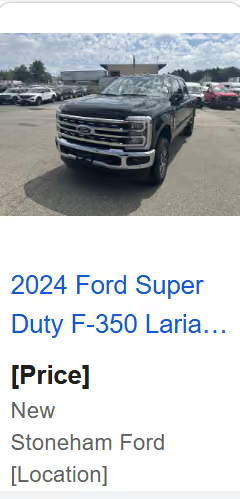
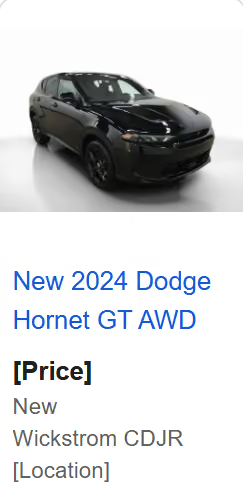
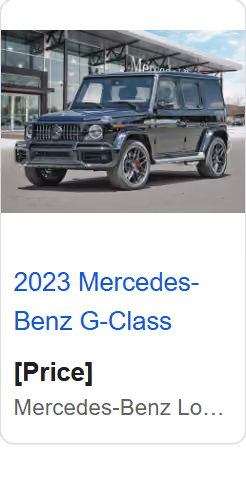
Concessionnaires de Ford, Dodge, Mercedes-Benz
Les annonces automobiles s'affichent sous forme de carrousel, ce qui permet aux utilisateurs de consulter plus facilement plusieurs annonces correspondant à leur recherche.
En général, ils s'attachent à toucher les prospects qui se trouvent aux étapes de réflexion et de décision de leur parcours d'achat. Google utilise l'intelligence artificielle pour toucher le bon public au bon moment et capter les prospects très motivés qui envisagent d'effectuer un achat prochainement.
Pourquoi utiliser les annonces Google pour les véhicules ?
Les annonces Vehicle viennent compléter les autres campagnes de Google, telles que les annonces sur le Réseau de recherche. Les annonceurs qui ont utilisé les annonces Vehicle en association avec des campagnes sur le Réseau de recherche ont constaté une augmentation moyenne de 25 % du nombre de conversions (lors de la phase de test bêta).
Étant donné que vous pouvez créer des annonces pour les véhicules à l'aide de Performance Max, vous en verrez également les avantages dans ce domaine.
Vous bénéficiez d'une meilleure visibilité sur l'ensemble du réseau Google, notamment surYouTube, Gmail, le Réseau Display, le flux Discover et bien d'autres. Grâce à cette portée accrue, vous avez également accès à davantage d'emplacements publicitaires et vos chances de conversion sont plus élevées.
Le ciblage automatisé vous permet d'afficher les annonces de véhicules les plus pertinentes pour chaque requête de recherche.
Cela permet également d'optimiser les annonces automobiles.
De plus, vous avez accès à des informations sur les signaux d'audience, les groupes de fiches produits, l'acquisition de nouveaux clients et l'analyse des produits grâce aux annonces Vehicle.
Comment fonctionnent les annonces Google pour les véhicules ?
Voici un bref aperçu du fonctionnement des annonces automobiles sur Google :
- Pour diffuser des annonces « Véhicules », vous devez utiliser la campagne Performance Max.
- Importez les données relatives à vos véhicules ou à votre stock dans le Merchant Center de Google en indiquant les informations pertinentes concernant la marque, le modèle, le prix, l'année de fabrication, le kilométrage (s'il s'agit d'un véhicule d'occasion), la couleur et d'autres détails.
- En se basant sur vos données, Google teste différentes variantes et combinaisons pour chaque annonce automobile afin de créer et de diffuser des annonces très performantes sur l'ensemble de ses formats et de son réseau.
- Google utilise les informations que vous fournissez pour proposer aux acheteurs potentiels les véhicules les plus adaptés à leur recherche.
- Une fois que l'utilisateur a cliqué sur votre annonce, vous pouvez le rediriger vers la page dédiée à ce véhicule sur votre site web ou vers une page de destination.
- Votre page d'accueil affiche les informations relatives au véhicule disponible dans le point de vente le plus proche de l'utilisateur. Google utilise le code du point de vente figurant dans votre flux de données pour identifier le point de vente le plus pertinent.
- Pour passer à l'étape suivante de l'achat, les acheteurs peuvent effectuer différentes actions sur votre page d'accueil : contacterun concessionnaire, réserver un essai routier, communiquer leurs coordonnées, demander à être rappelés, et bien plus encore.
Comment créer des annonces pour des véhicules sur Google
Pour diffuser des annonces automobiles, vous devez respecter les conditions requises par la plateforme et disposer des données nécessaires.
Voici un guide étape par étape pour vous aider à mieux comprendre :
- Conditions requises
Commencez par vérifier et revendiquer en ligne le site web de votre entreprise ou de votre concession.
Ensuite, créez un compte Google Merchant Center ( si vous n'en avez pas encore).
Associez votre compte Google Ads et votre profil d'entreprise au Merchant Center.
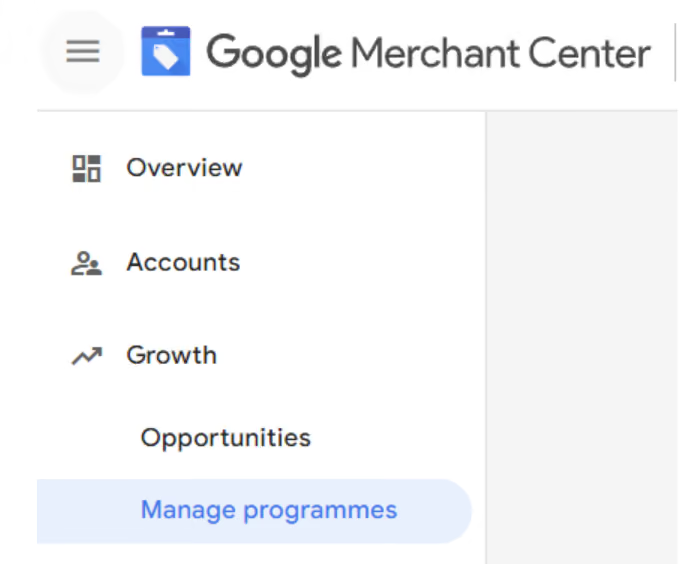
Envoyez une demande à Google pour activer le programme de publicités pour véhicules. Une fois votre demande approuvée, rendez-vous dans le tableau de bord de Google Merchant Center et cliquez sur « Croissance » → « Gérer les programmes » → « Commencer ».
Ajoutez les informations relatives à votre entreprise et terminez la configuration.
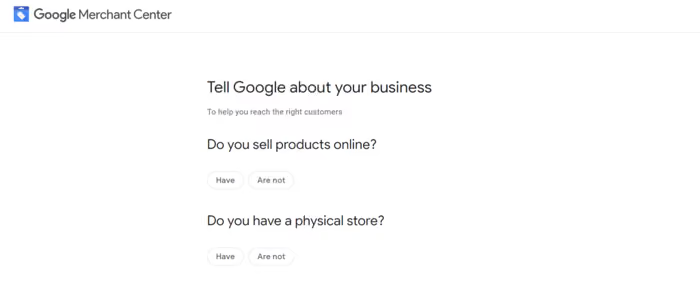
- Configuration de la mise en œuvre
Ajoutez vos magasins en indiquant leur adresse physique et leur code respectif.
Une fois cette étape terminée, importez les données relatives à votre véhicule dans Google Merchant Center.
Veuillez noter que vous ne pouvez diffuser des annonces automobiles sur Google que pour les cas suivants :
- Véhicules non commerciaux/de tourisme (tels que les voitures et les camionnettes).
- Offres de véhicules. Les annonces concernant des pièces détachées, des accessoires ou tout autre produit similaire ne sont pas autorisées.
Assurez-vous que votre site web répond aux exigences de Google avant de passer à l'étape suivante. Pour la configuration de la mise en œuvre, consultez les informations supplémentaires ici.
- Créer une campagne
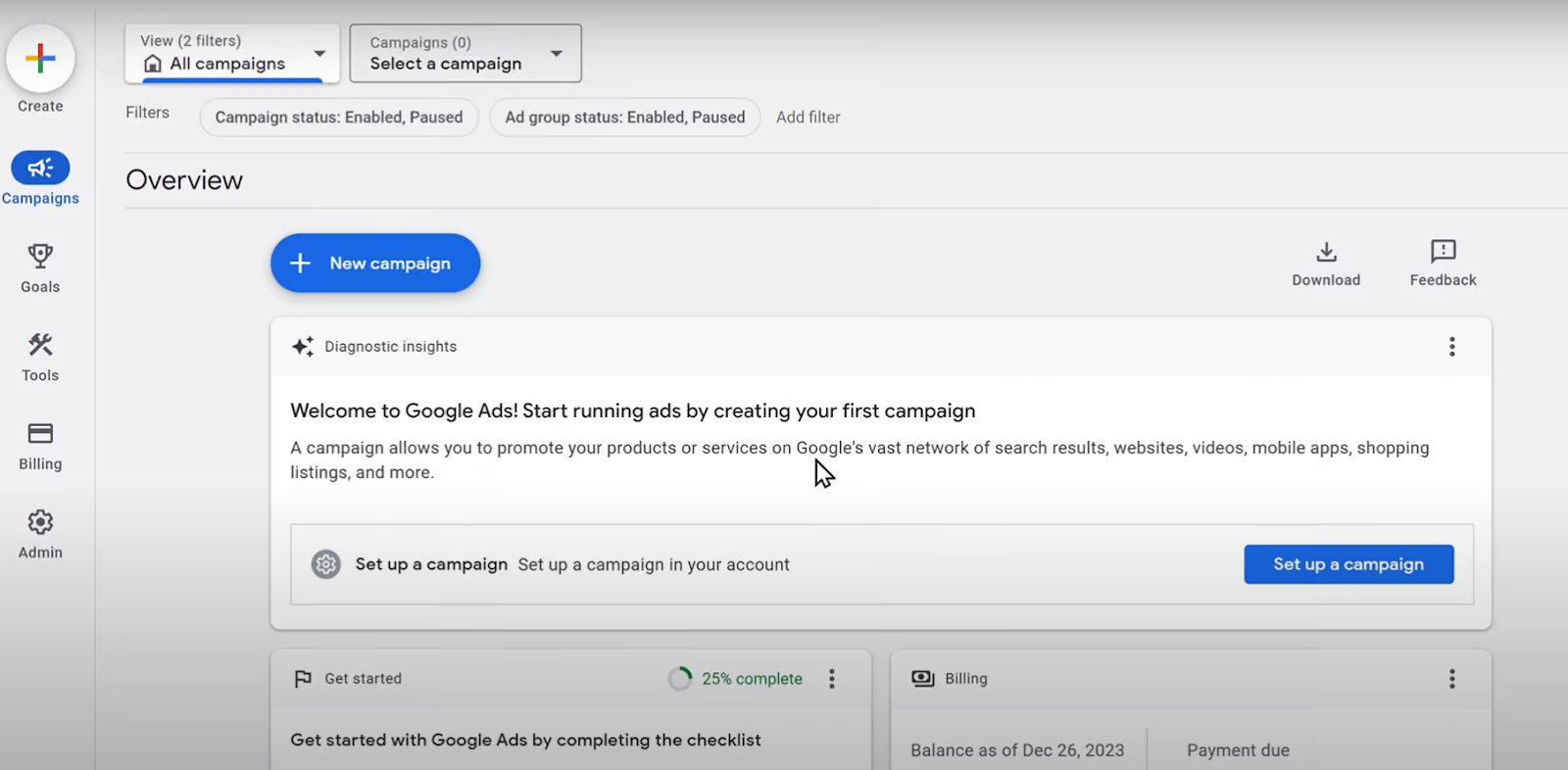
Dans votre tableau de bord Google Ads, cliquez sur

Campagnes et +Nouvelle campagne.
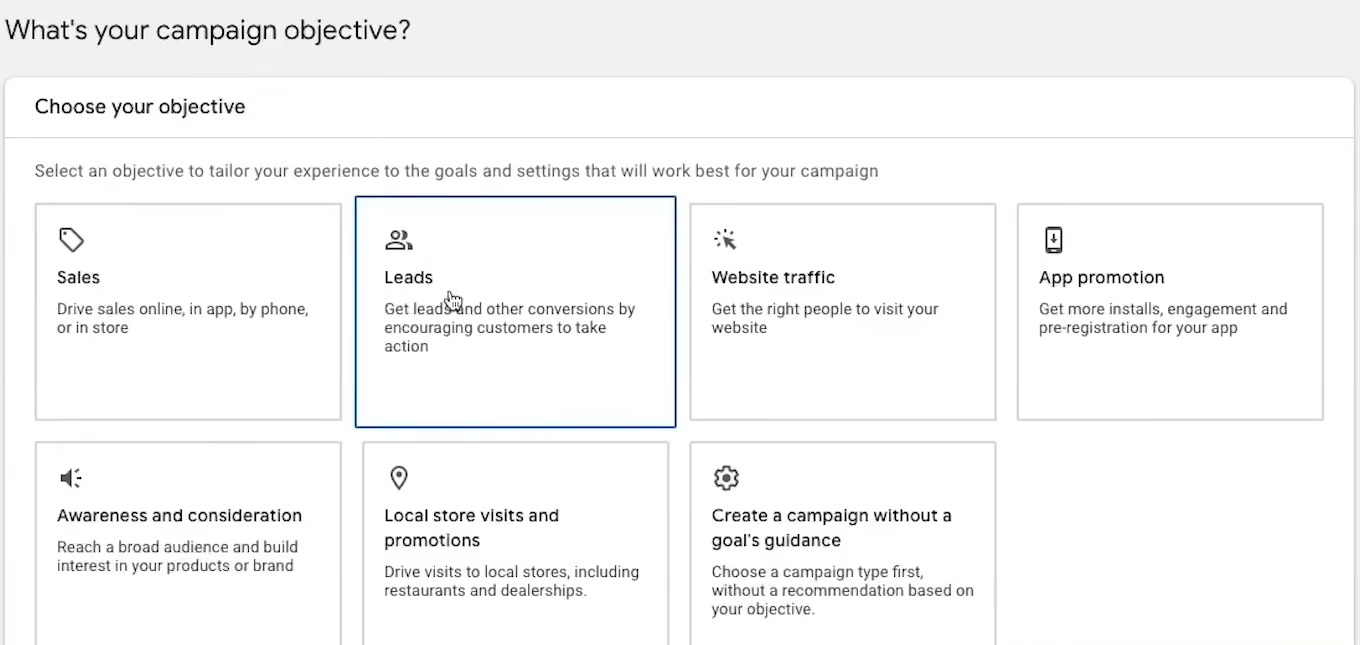
Définissez l'objectif de la campagne. Vous pouvez choisir parmi les objectifs Performance Max suivants : ventes, prospects, trafic sur le site Web ou créer une campagne sans objectif prédéfini.
Choisissez ensuite l'objectif de conversion. Il peut s'agir d'achats, de contacts, de prospects qualifiés, de visites en magasin ou de soumission de formulaires de prospection. Vous pouvez supprimer tout objectif qui ne correspond pas à votre campagne.
Dans la section « Type de campagne », sélectionnez « Performance Max ».
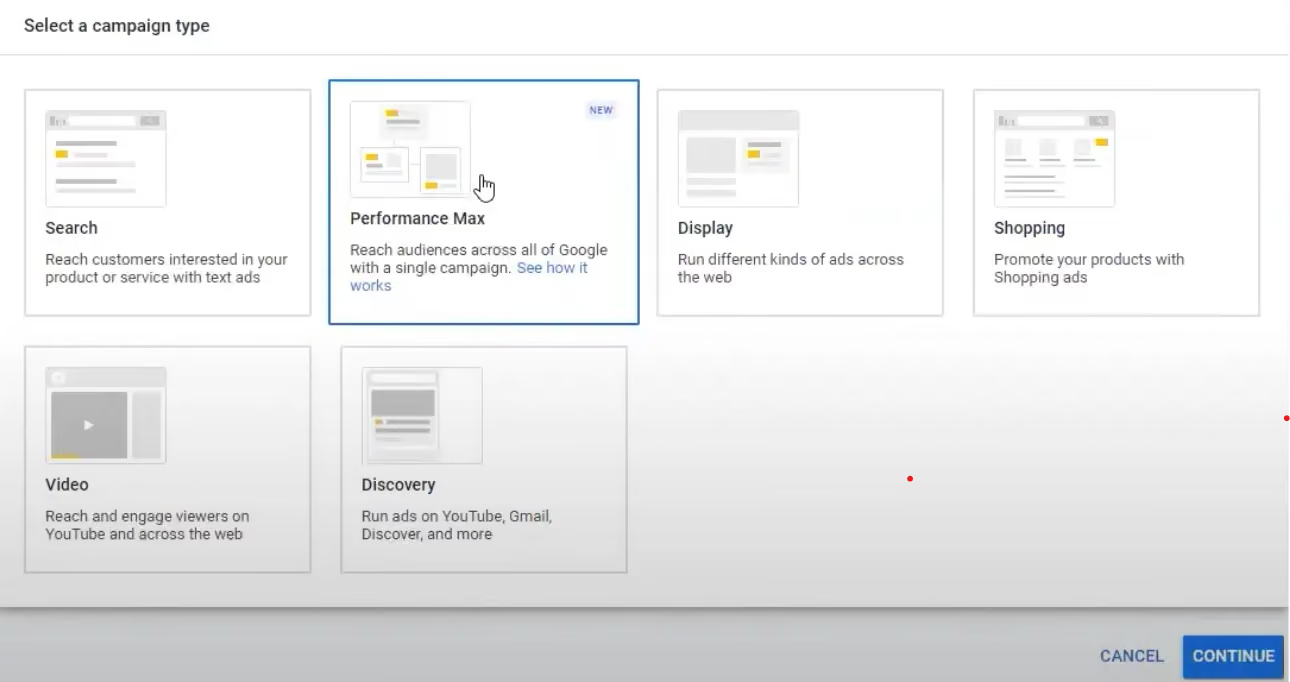
- Choisissez le flux de véhicules
Dans la section « Utiliser un flux », vous pouvez sélectionner le flux de véhicules le plus pertinent pour votre campagne.
- Définir l'enchère et le budget
Dans la section « Enchères », sélectionnez « Optimiser la valeur des conversions » ou « Optimiser les conversions » en fonction de l'objectif de votre campagne.
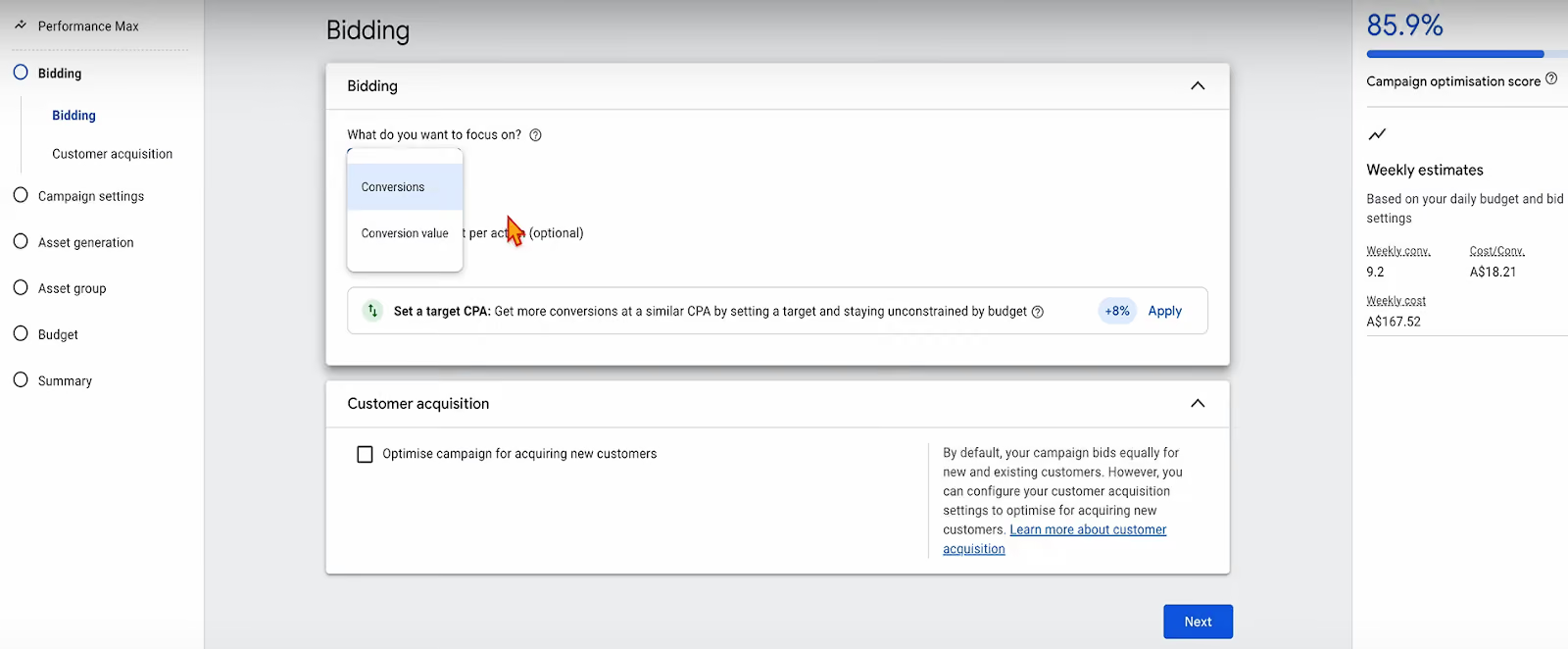
Google recommande d'utiliser les enchères omnicanales( ), qui vous permettent d'inclure les conversions en magasin afin d'optimiser les actions en ligne et hors ligne.
Dans la section « Budget », saisissez votre budget quotidien ou personnalisé.
- Créer la campagne
Saisissez les lieux que vous souhaitez cibler. Les publicités sur les véhicules peuvent cibler automatiquement les lieux situés à proximité du ou des codes de magasin que vous avez indiqués.
Vous pouvez également affiner le ciblage géographique en ajoutant un lieu et en choisissant de le cibler ou de l'exclure .
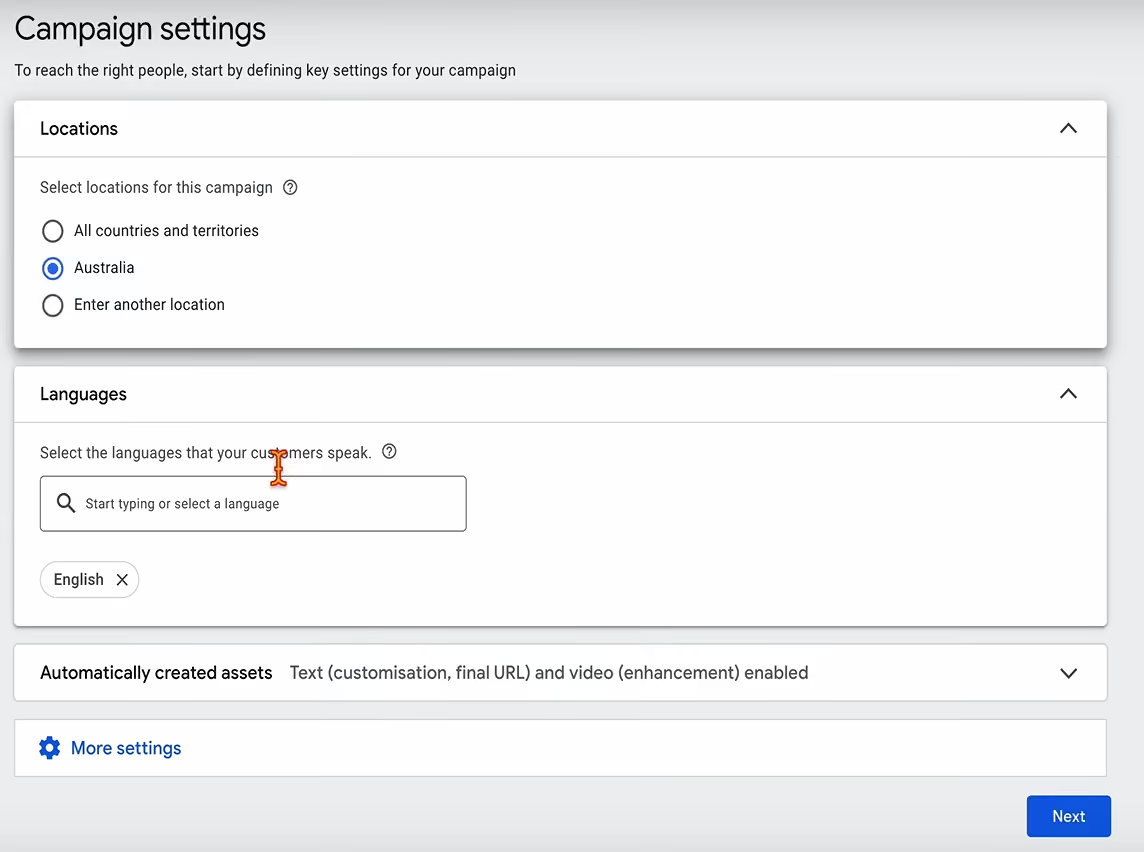
Définissez les langues en fonction du public cible et de la région de votre campagne.
Cliquez sur « Développement de l'URL finale ». Google utilise l'IA pour sélectionner la meilleure page de destination afin d'optimiser les performances publicitaires. Vous pouvez également exclure certaines URL à partir de cet écran.
- Créer un groupe de ressources
Les ressources d'un groupe ont un thème ou un public cible commun. Vous pouvez créer plusieurs groupes de ressources pour chaque campagne publicitaire sur Vehicle.
Ajoutez vos images . Vous pouvez parcourir votre site web, télécharger vos fichiers ou faire votre choix dans la bibliothèque.
Saisissez vos titres et vos descriptions.
Astuce : ajoutez autant d'images, de formats, de titres et de descriptions que possible jusqu'à ce que l'indice d'efficacité de l'annonce atteigne le niveau « Excellent ».
Remplacez les éléments signalés comme « Faibles ».
Une fois les ressources téléchargées, Google les organise automatiquement en formats publicitaires pertinents et en visuels adaptés à chaque utilisateur.
Pour en savoir plus sur la création d'un groupe d'actifs, cliquez ici.
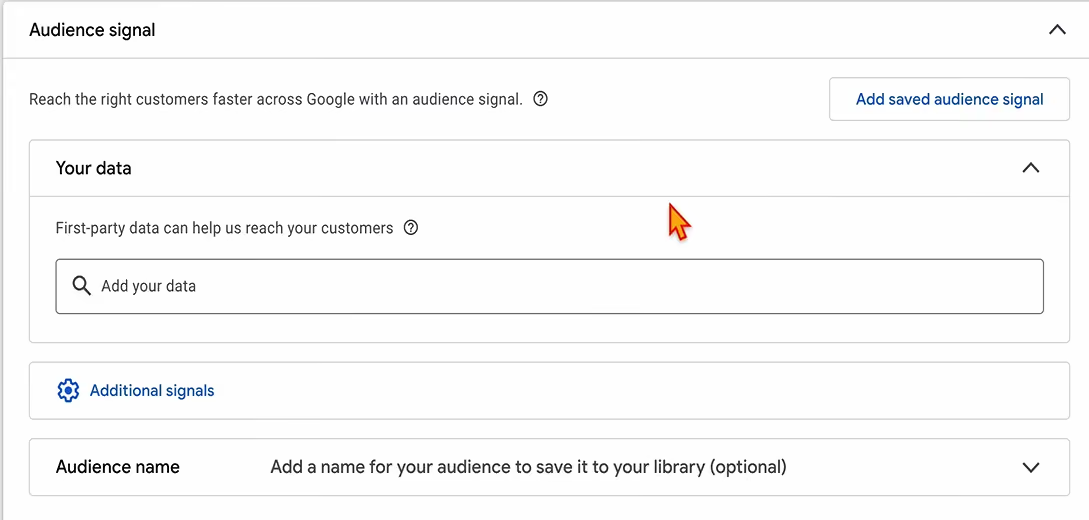
Ajoutez des signaux d'audience pour aider Google à optimiser vos annonces automobiles.
Dans la section « Groupes d'annonces », sélectionnez le ou les véhicules que vous souhaitez mettre en avant dans votre campagne d'annonces automobiles. Vérifiez le contenu et, si l'annonce vous convient, cliquez sur « Publier ».