
.svg)
.svg)
What are Facebook Lead Ads?
Meta (previously known as Facebook Inc.) owns and operates some of the largest social media networks. These networks include audience favourites Facebook and Instagram.
To put their popularity in the perspective of numbers:
- Facebook is the largest social media platform (a title it has held for the past several years) with over 3 billion monthly active users.
- Instagram has over 2 billion monthly active users and is the third most popular social media platform (by number of users).
Undoubtedly, Facebook and Instagram provide a treasure of opportunities for automotive businesses to reach a massive audience and capture leads.
In this blog, we’ll tackle one of the best ad inventories to improve your lead generation–Meta Lead Ads.
Why use Meta for automotive lead generation
Specifically for automotive, Facebook and Instagram can positively impact the entire buyer journey. Here’s how:
- Discovery
21% of consumers turn to social search to get their questions answered–a 40% YoY increase.
More importantly, 37% of auto buyers use Facebook when looking to purchase a car. And over 62% of Instagram users either follow or research products and brands on the network.
That’s a significant number of potential leads on a single platform and a significant opportunity to direct them down the funnel towards purchase.
- Influence
Facebook is the most influential social network for 38% of auto intenders looking for new or leased vehicles and 53% of recent purchasers. The next platform having a large extent of influence on automotive purchases is Instagram.
- Consideration
Meta also plays a vital role during the decision phase. 24% of auto buyers use Facebook as a resource for purchasing their last vehicle.
- ROI
As for marketers, Facebook and Instagram attract the highest ROI (29% each) compared to other social media channels.
This makes Meta one of the most lucrative platforms for automotive lead generation.
Lead generation options for Meta
Meta Lead Ads appear on Facebook and Instagram Feeds, Stories, in-stream videos, Facebook Marketplace, Facebook Messenger, Instagram Direct and more.
You can collect contact information from potential buyers through these ads using 3 options:
- Send to website
Redirect interested users to your website, where they can browse information on your brand and vehicles. They can fill out your web form if they wish to take the conversation further. Some actions that you can encourage these users to take are:
- Book a test drive
- Schedule an appointment
- Call me back (the relevant dealership takes the conversation further)
- Keep me informed (subscribe to your emails or WhatsApp messages for updates)
- Landing page
Alternatively, redirect users to a custom landing page built specifically for your campaign or vehicle(s). They don’t need to browse the entire website and can get exclusive information on the model they’re interested in. The CTA on landing pages can have similar actions to those in Send to Website.
- Instant Forms
Meta’s very own Instant Forms are fast-loading mobile-first and native lead generation forms. After the user clicks on the ad’s CTA, the Instant Form loads within the Facebook or Instagram platform itself. Instant Forms can also be prefilled with user information, or leads can choose to add or edit their information. They facilitate lead data collection by reducing drop-offs. Why Instant Forms are better than Send to Website and Landing Pages:
- Reduced drop-offs.
- User-friendly experience.
- Quicker lead capture.
- Instant Forms also perform better than website forms, with an average of 20% lower cost per lead (CPL).
- Additionally, most automotive advertisers see up to a 50% reduction in CPL.
Examples of Meta Lead Ads with Instant Forms
MG Motor Mumbai South (India) used Meta Lead Ads with Instant Forms for one of their launches in 2024–MG Hector. Besides collecting contact information, MG qualified leads with custom questions for purchase intent.
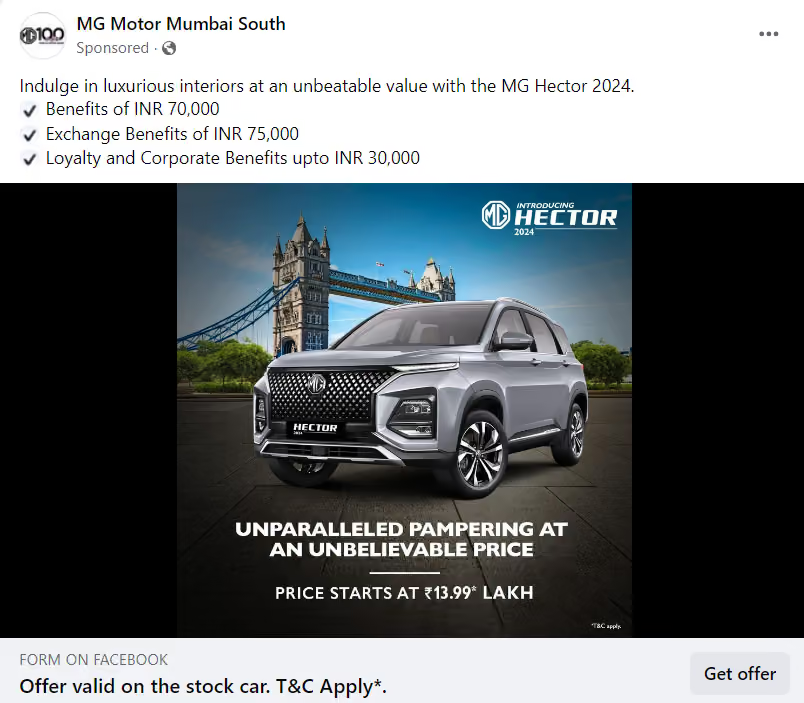
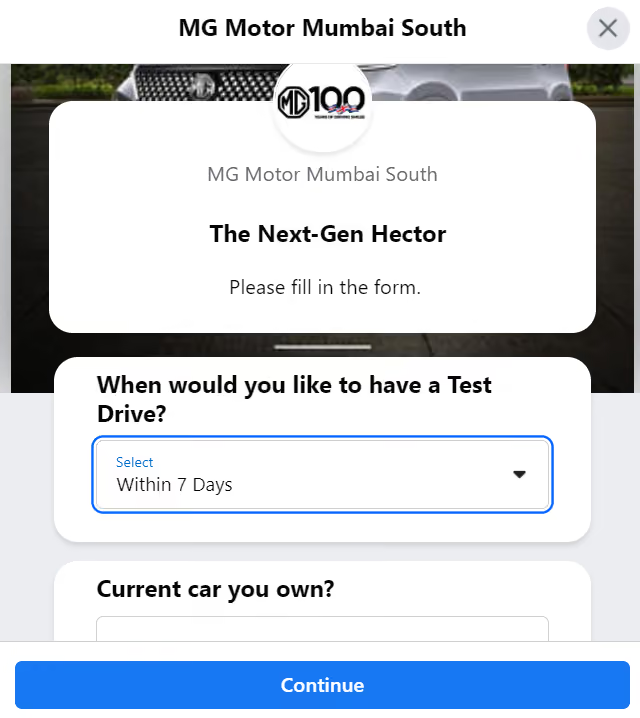
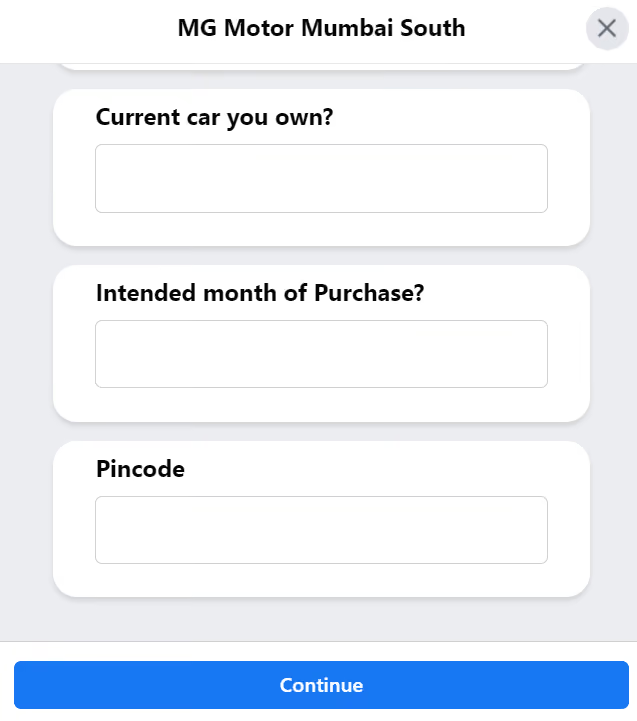
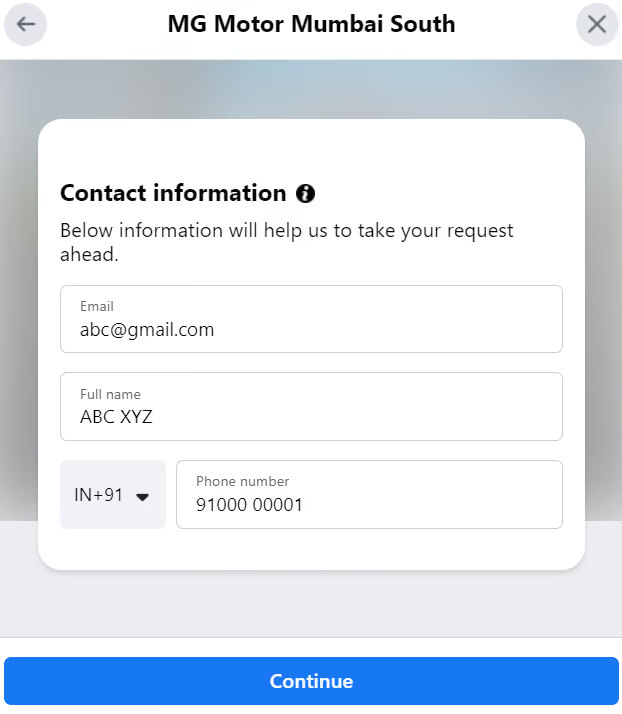
Source: MG Motor Mumbai South
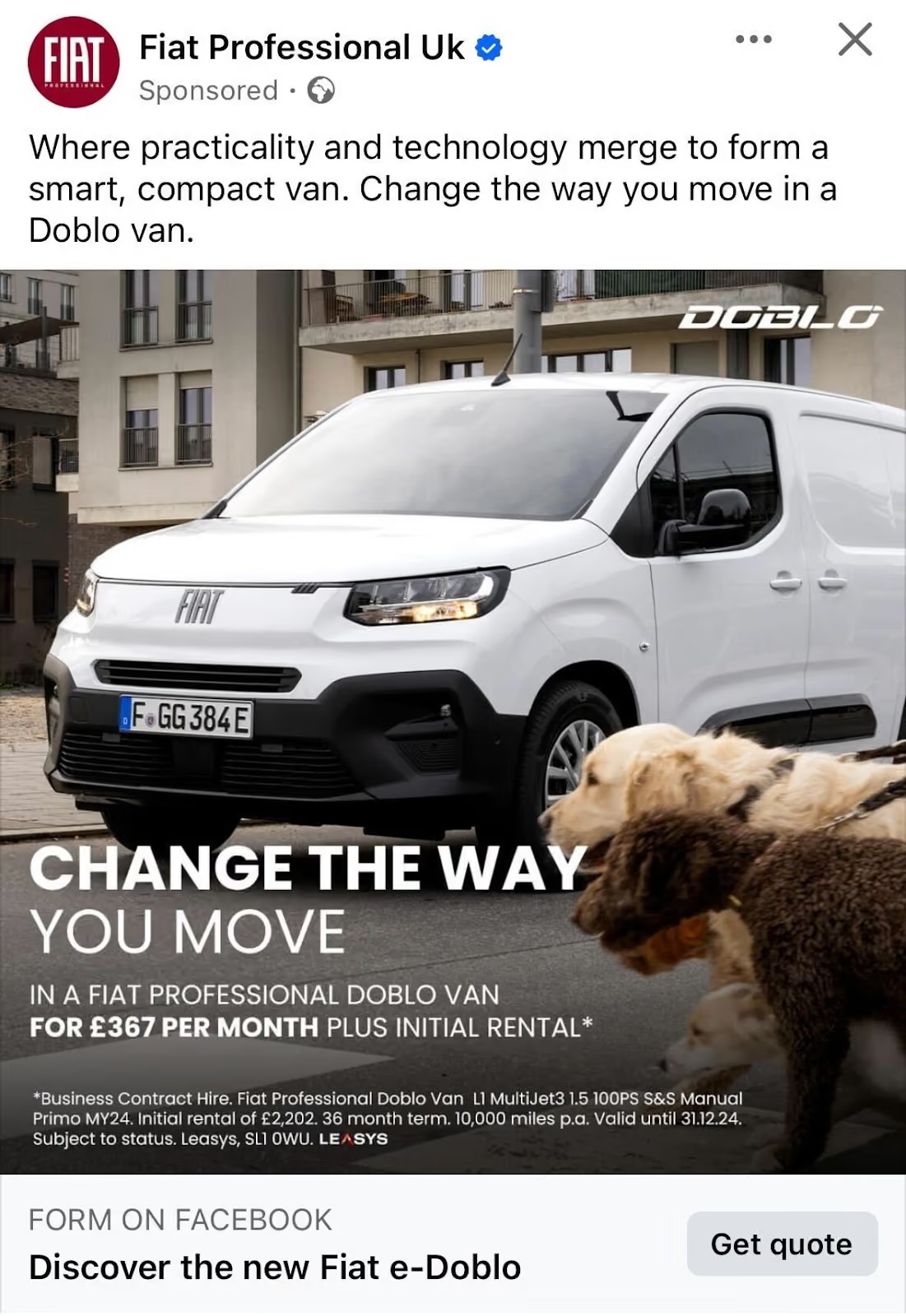
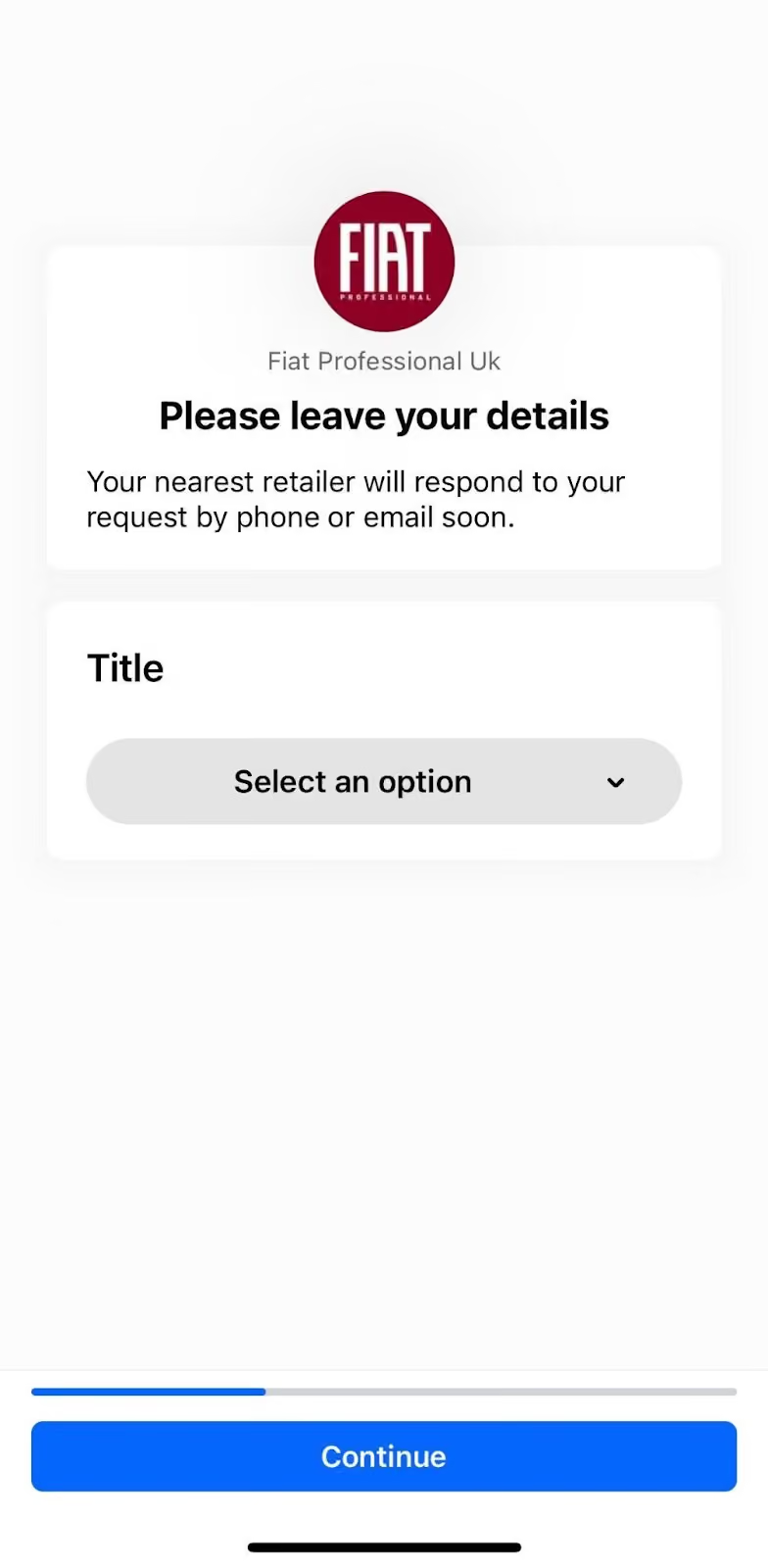
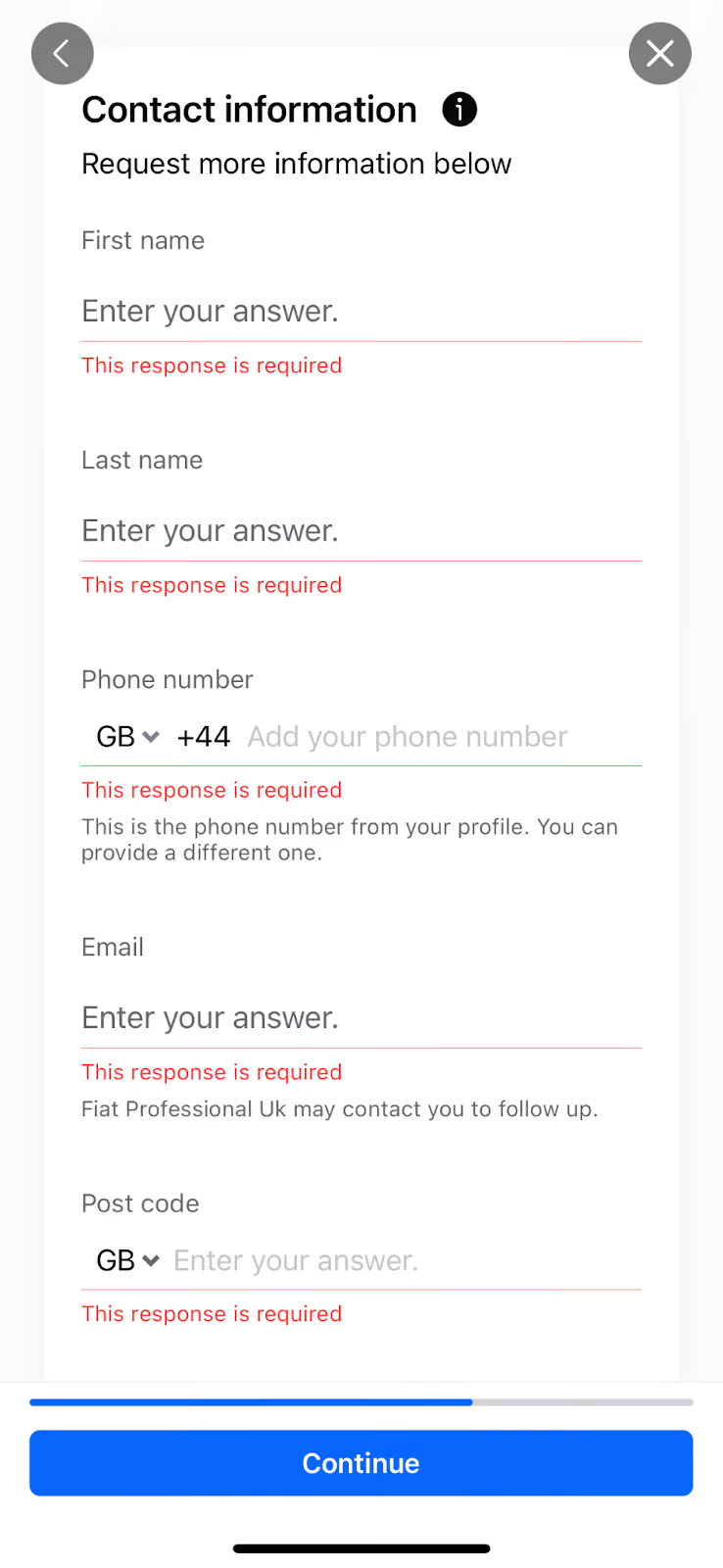
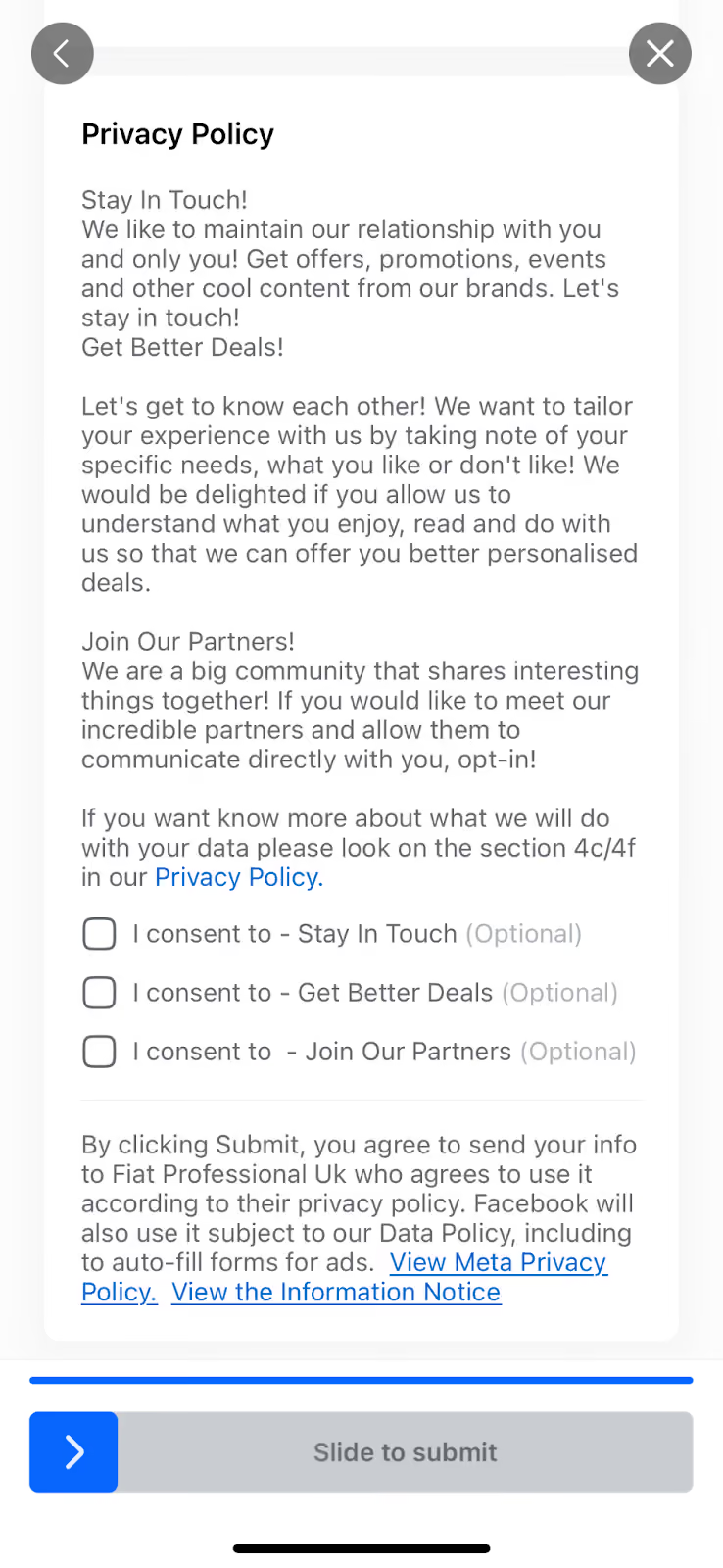
Similarly, Fiat UK used a Meta Lead Ad with Instant Form to collect contact details from leads and direct them to the relevant dealership with postcodes.
How to create Meta Lead Ads with Instant Forms
Here’s a step-by-step guide to creating Meta Lead Ads with Instant Forms from the Ads Manager:
- What you’ll need before you begin:
- Meta Business Center and Ad Account
- Admin access to Meta Ad Account
- Login to Meta’s Ads Manager and click Create
- Select Leads as the campaign objective
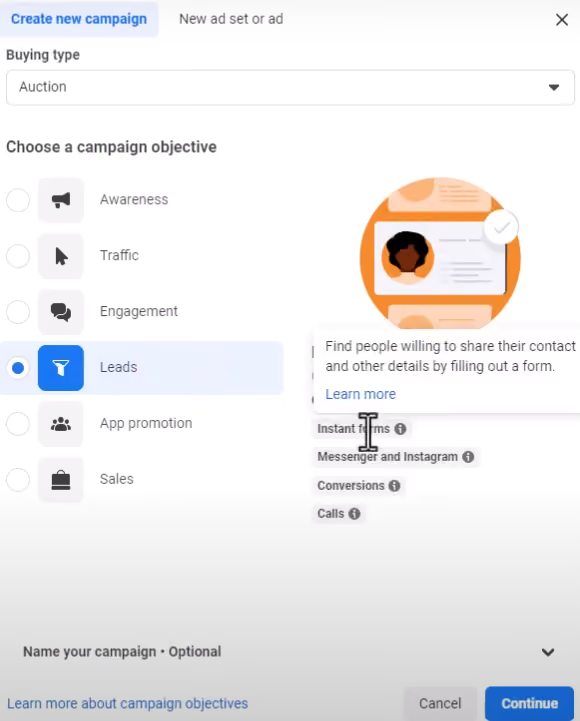
Source: Crazy Eye Marketing, YouTube
- Click on Continue and enter the campaign details
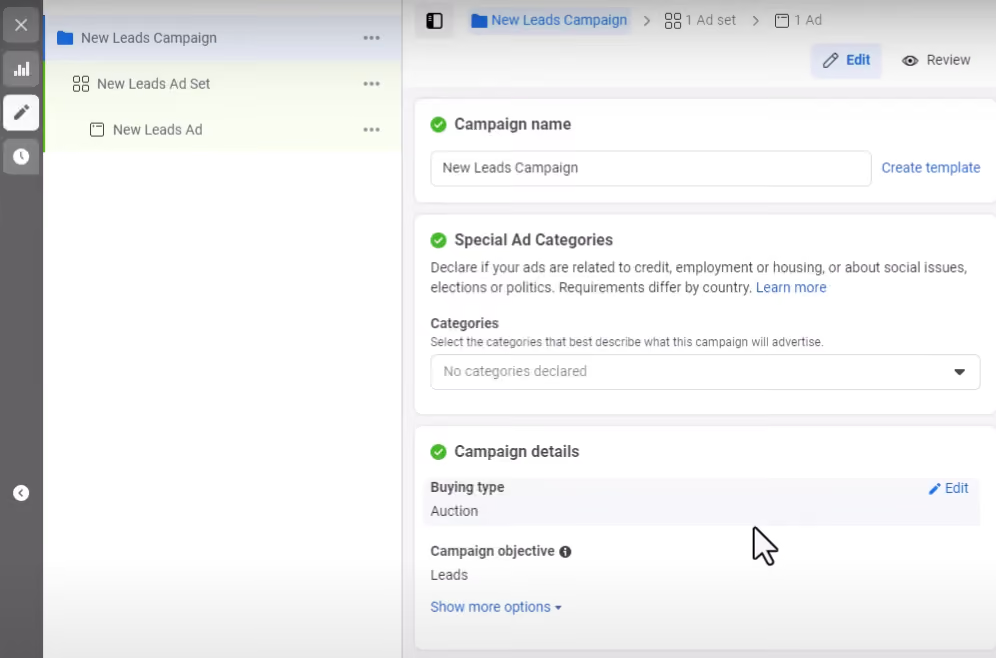
Source: Crazy Eye Marketing, YouTube
- How to build your Instant form:
- At the ad set level, select Instant Forms as the Conversion Location
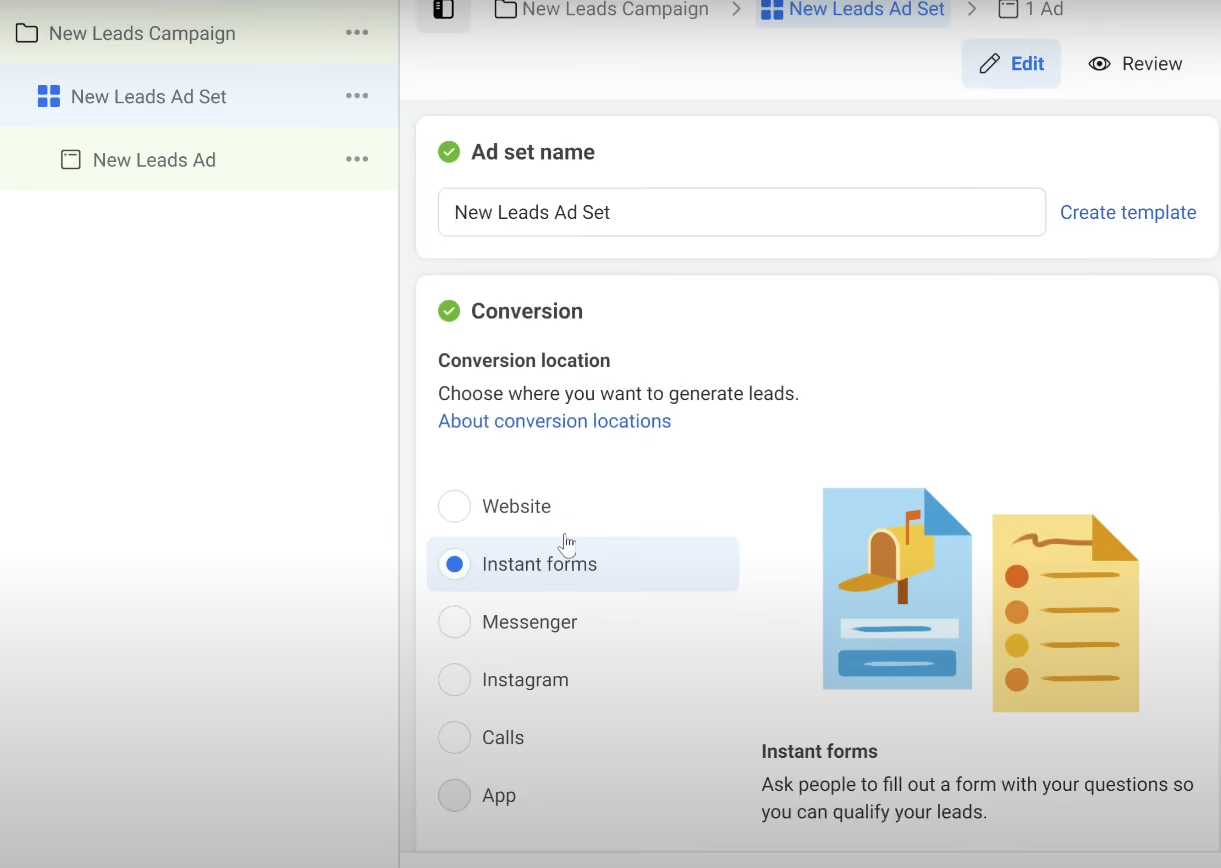
Source: Ben Heath, YouTube
- At the ad level, either Create Form or Use a template
Hot Tip: Capture high-intent customers (recommended for automotive lead gen)
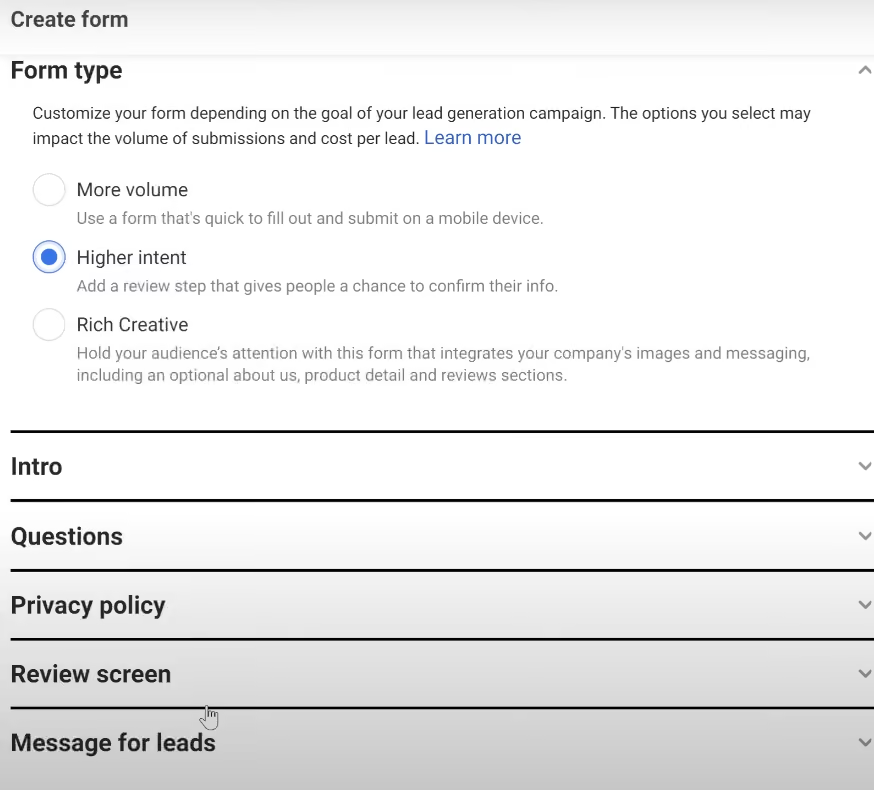
Source: Ben Heath, YouTube
- Choose between Use image from your ad or Uploaded image
- Add Custom Questions (include at least one in the form). You can add up to 15 custom questions.
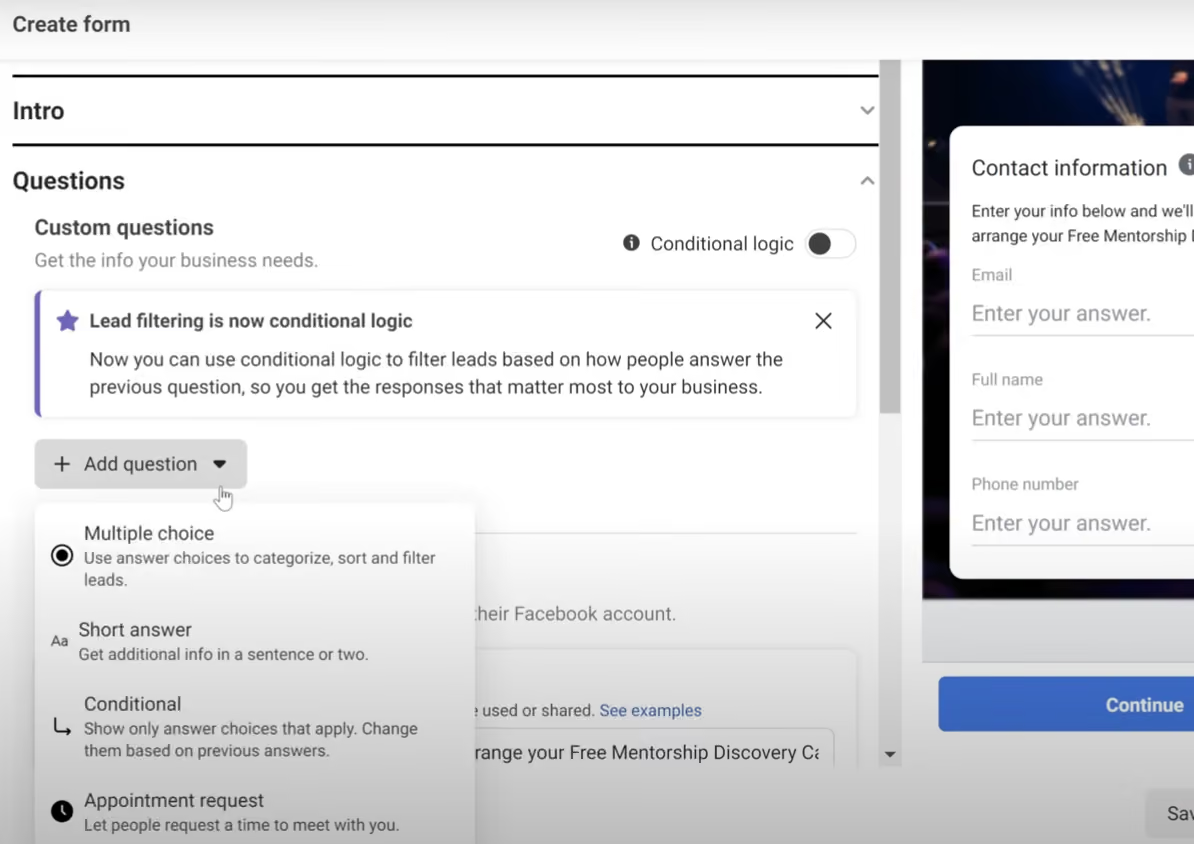
Source: Ben Heath, YouTube
- Alternatively, select Conditional logic to build a dynamic form
- You can also add Prefill questions (optional)
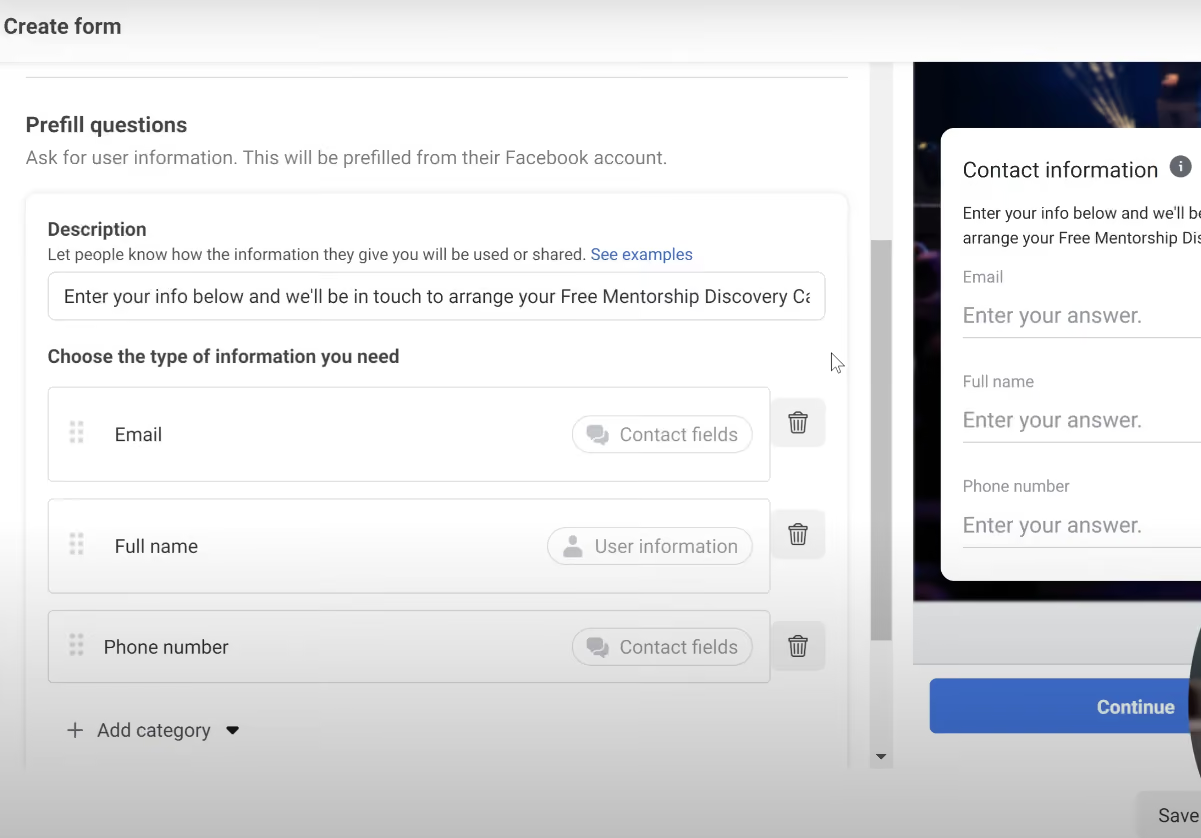
Source: Ben Heath, YouTube
- Add the Privacy Policy and Custom Disclaimer
- Under Message for Leads, add headline, description, link and CTA text
- Click Create to finish building the form
- Next, choose the Performance Goal. It could be either maximise number of leads OR maximise conversion leads
- Fill in the Budget & Schedule, Audience and Placements details
Like all Facebook Ads, the cost per lead will vary based on your industry vertical, budget, value proposition etc. The best idea is to test with a reasonable budget. You can assume that you'll be able to optimise performance by a further 50% after the first campaign.
Here are some indicative costs to get you started:
- Automotive test drive lead ~$5 to $120
- Automotive keep me informed lead $5 to $35
- In Identity, select your Facebook Page and Instagram account
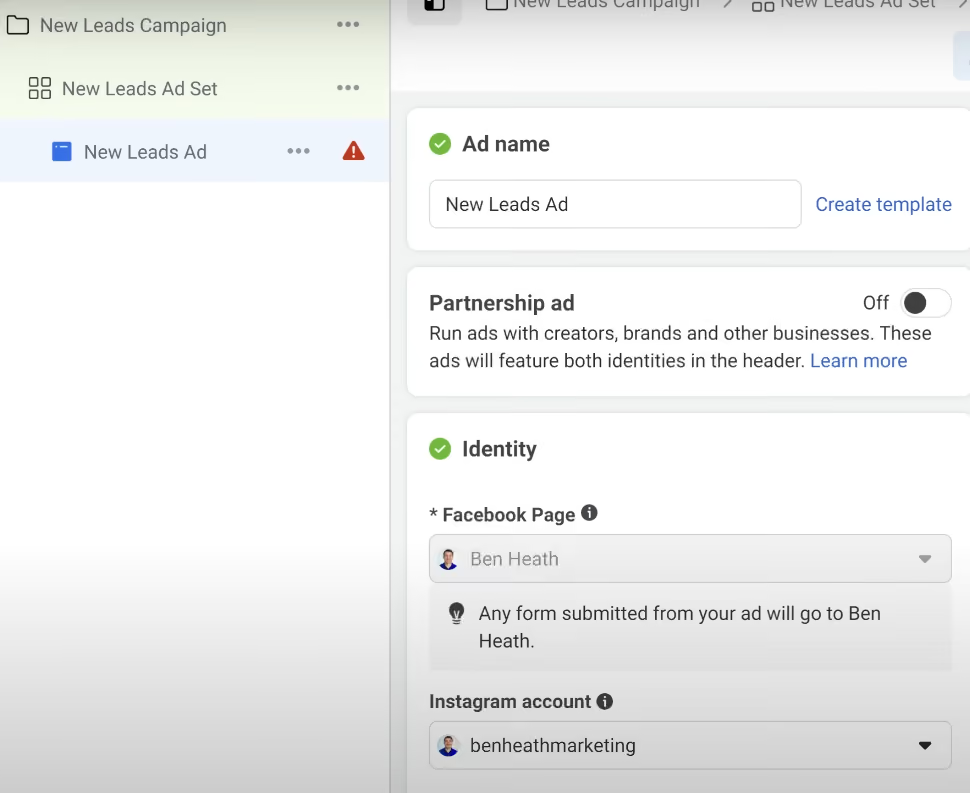
Source: Ben Heath, YouTube
- Under Ad Setup, choose between Single Image, Video or Carousel
- In the Ad Creative section, add the Media, Headline, Description and CTA
- Destination for the ad depends on your Conversion Location (refer to Step 5)
- Publish your ad!
There are multiple ways to create a Meta Lead Ad with Instant Form. Here are 2 other ways by which you can start building Meta Lead Ads:
Capabilities and Restrictions of Meta Lead Ads
Meta’s advertising arsenal has a few capabilities and restrictions that influence and improve the overall user experience.
We’ve listed them below:
- Autofill
One of the best capabilities that Meta Lead Ads offers is the autofill feature on Instant Forms. Wherever applicable, the following user information will be prefilled from their profile:
- First name and last name
- Email, Phone number
- Street address, City, Town, State, Province, Country, Postcode
- Date of Birth
- Gender
- Marital status, Relationship status
- Military status
- Job title
- Work phone number, Work email
- Company name
- Dealer selection
Users can locate their preferred dealership using Meta’s Store Locator feature. You can also automate this using a postcode field and tools like Driftrock’s Dealer Selection feature.
- Custom questions
Meta Lead Ads with Instant Forms let you add up to 15 custom questions to qualify leads. Types of Custom questions include short answer, multiple choice, appointment request, conditional answer and store locator.
- Consent
You need to provide a Privacy Policy URL in the Privacy Policy section. You can also customise the consent fields to uphold privacy standards.
- Marketing tracking
You can track your leads from first touch to beyond sale. Automate the process using tools like Driftrock to pull Source, Campaign, Ad Set and Ad for each lead.
- Optimisation
Optimise your Meta Lead Ads for lead submission. You can find a balance between volume and quantity using features like more volume vs higher intent vs rich creative. Plus, you can use Driftrock’s lead validation, end-to-end tracking and reporting to improve optimisation.