
.svg)
.svg)
Today, Automotive buyers don't simply walk into a dealership to learn more about a vehicle of their choice.
Instead, their purchase journey is much more complex and involves research from multiple sources, primarily online.
87% of potential vehicle buyers use online tools for research – EY Mobility Consumer Index
So, how do you stay visible and top-of-the-mind in an ever-growing digital environment?
Google Display ads can help you with just that.
What are Google Display ads?
Google Display ads are visual banner ads that are served to audiences when they browse the Google Display Network. This network includes websites, videos, apps and Google's platforms such as YouTube and Gmail.
Display campaigns help you target potential buyers throughout their journey, nurturing intent to purchase.
You can collect lead data from Google Display ads by sending leads to your website or specific landing pages. Then, encourage users to share their contact details via web forms in strategic positions throughout the page.
Why consider Google Display ads for automotive lead generation
Here are 6 reasons to consider Google Display ads for generating auto leads:
- Expand reach beyond Google Search
The Google Display Network includes over 2 million websites, videos and apps. Its massive size allows you to reach a large audience across platforms.
- High visual impact
Visual ads have a more substantial impact than text. They help you differentiate your brand and vehicles from competitors better.
- Optimised targeting
You can use optimised targeting within Google display campaigns to reach high intent audiences. Optimised targeting uses 'targeting signals' (like audience segments or keywords) to find audiences who could become potential customers.
- Choice of placement
Google lets you choose your preferred sites and placements for each ad. You can select placements based on interests and demographics in addition to keywords.
- Nurturing intent
Because display ads are placed on various sites, apps, and Google platforms, you can stay visible to potential leads throughout their buying journey. This further increases interest in your brand and vehicles.
- Ripple effect on ad performance
Audiences become increasingly familiar with your brand and vehicles through Display campaigns. As such, they're more likely to engage with other campaigns (such as Search and YouTube ads), which boosts the performance of other ads.
Examples of automotive Display ads on Google
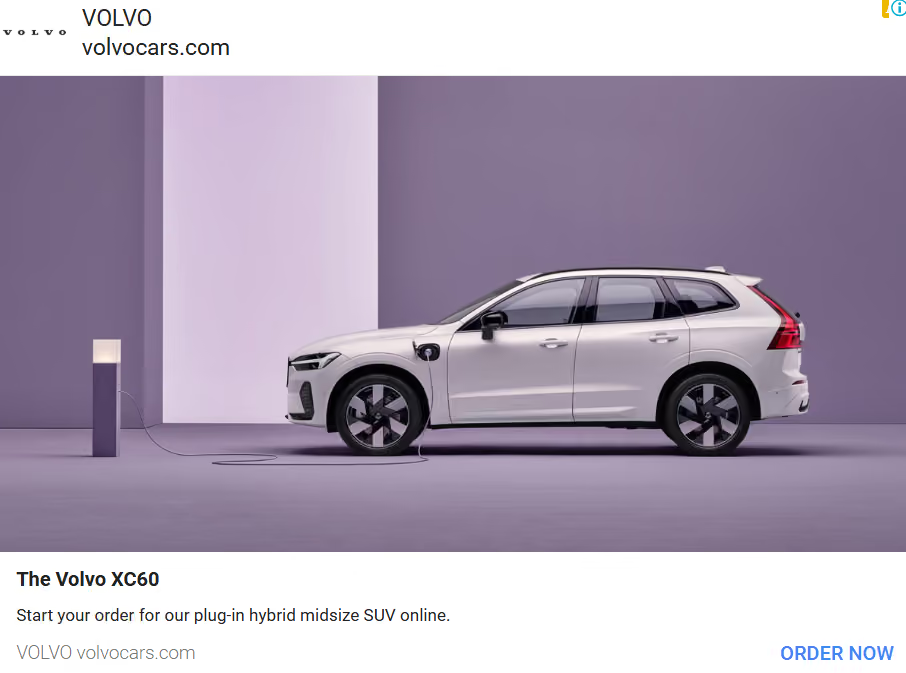
Source: Google Ads Library
Volvo uses Google Display ads to target not only B2C customers but also B2B customers. The brand leverages multiple display banner sizes and specifications to create ad variations and keep leads interested.
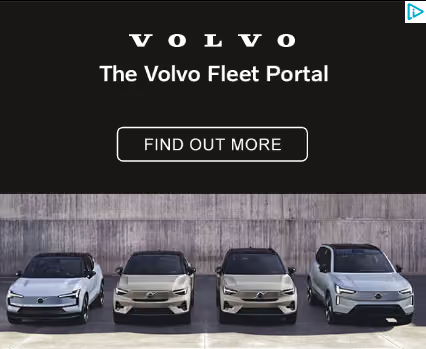
Source: Google Ads Library
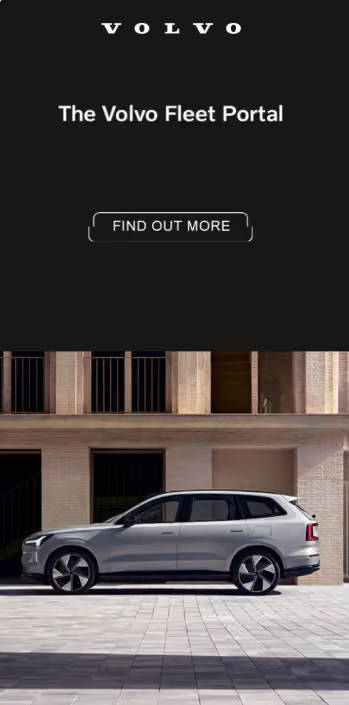
Source: Google Ads Library
Toyota makes the most of Google Display ads across Asia, running demographic- and location-specific ad campaigns.
The brand recently launched Taisor (India-specific) and enticed potential buyers with discounts and special offers.
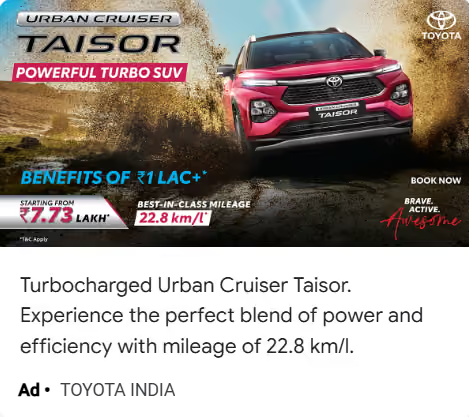
Source: Google Ads Library
Toyota also leveraged the much-anticipated launch of its latest-gen Camry with a string of Display ads to stay top-of-the-mind.
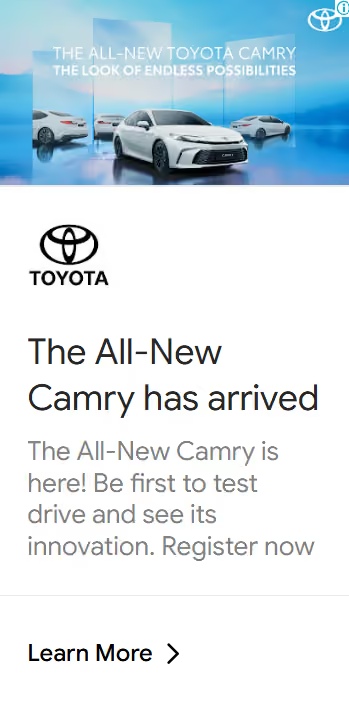
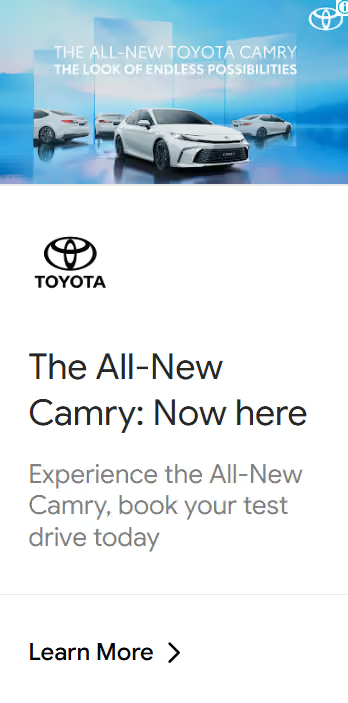
Source: Google Ads Library
Plus, Toyota tapped into special events to reinforce visibility for the brand and vehicles, such as the display ad below for New Year's.
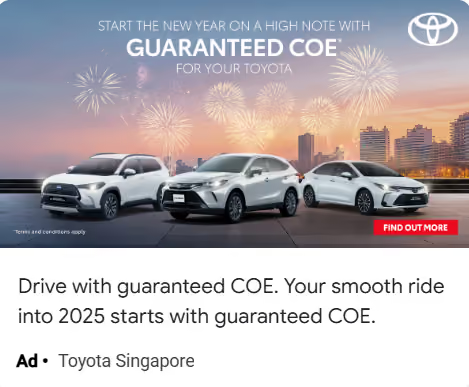
Source: Google Ads Library
How to create Google Display ads
You can create Display Ads using your Google Ads account. Here's a quick, step-by-step guide you may follow:
- Create a campaign
Click

Campaigns, then +New Campaign.
For Display ads, choose your campaign objective from Sales, Leads, Website traffic, Awareness and consideration or Create a campaign without a goal's guidance.
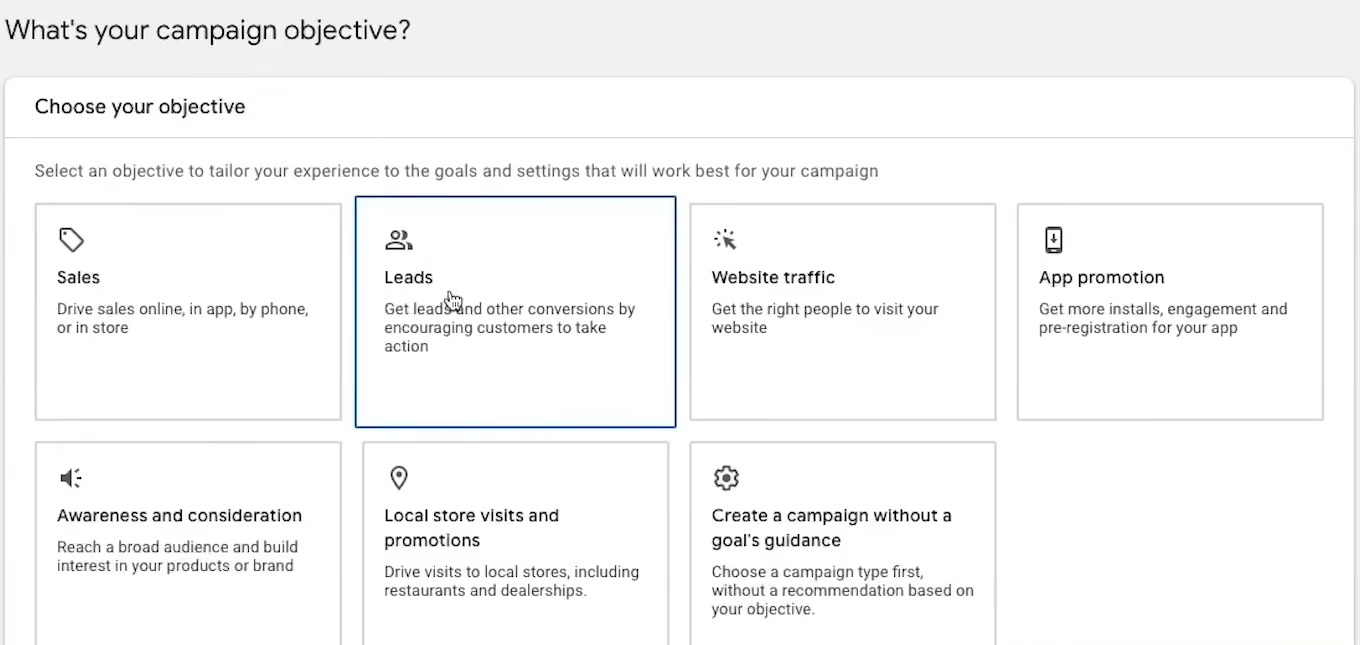
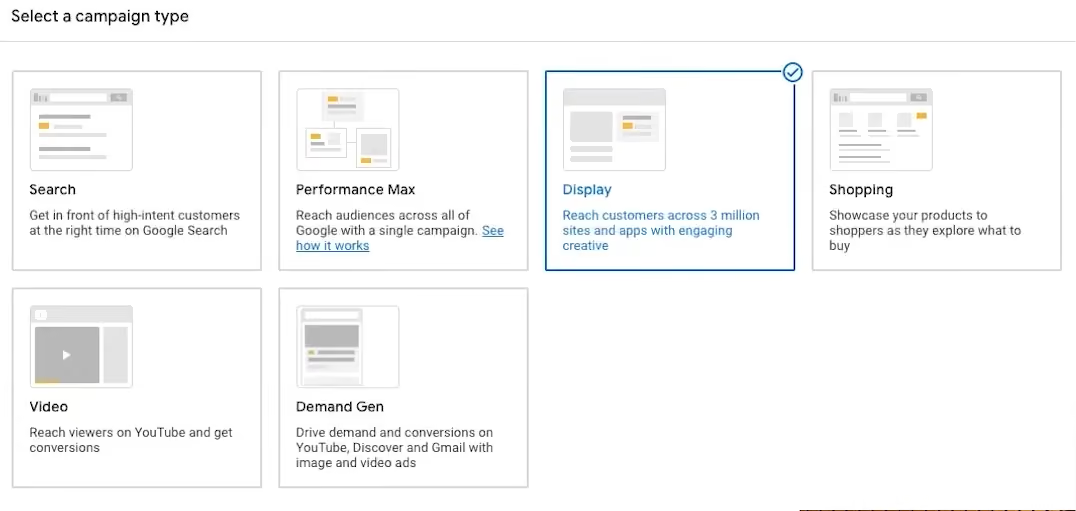
Under Campaign type, select Display.
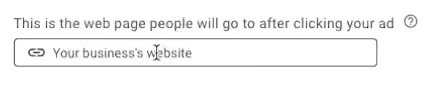
Next, enter the URL for your business website, which users will be redirected to when they click on your ad.
Name the campaign and click Continue.
- Enter campaign settings
First, choose the Locations where you want your display ad to appear. You can also exclude locations here.
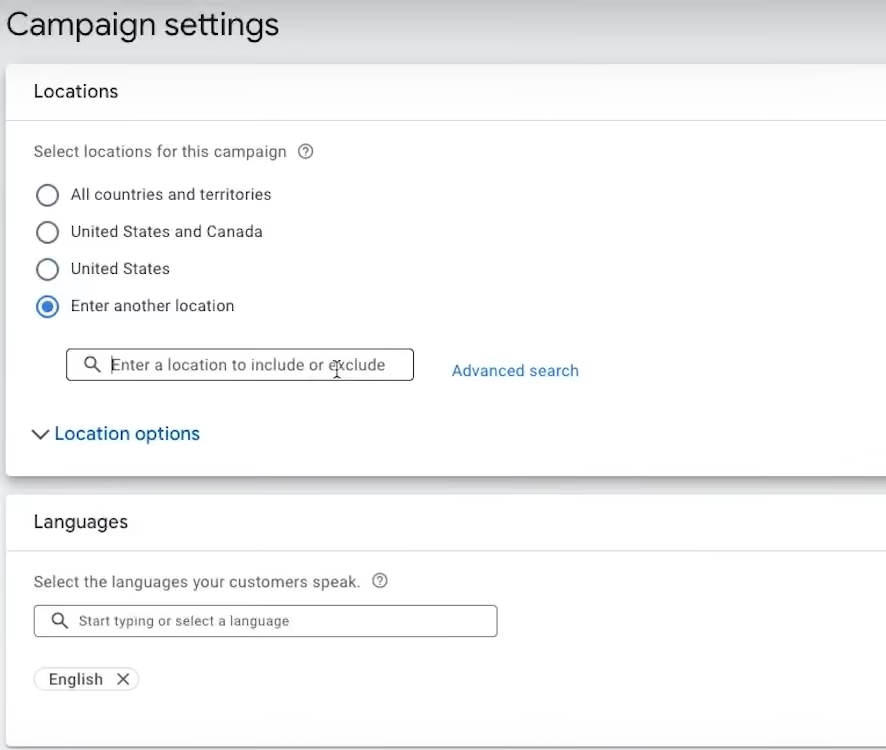
Add the Languages you want to target. It should match the ad copy and the language your target audience speaks.
You may set up Ad rotation to optimise the rotation of your best display ads. This is recommended for better conversions or clicks.
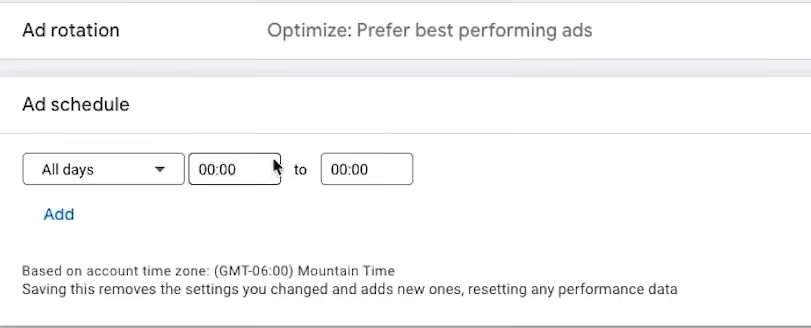
Set up the Ad schedule, Devices, Campaign URL options, Dynamic ads (if you want to run dynamic display ads), Start and end dates and Content exclusions.
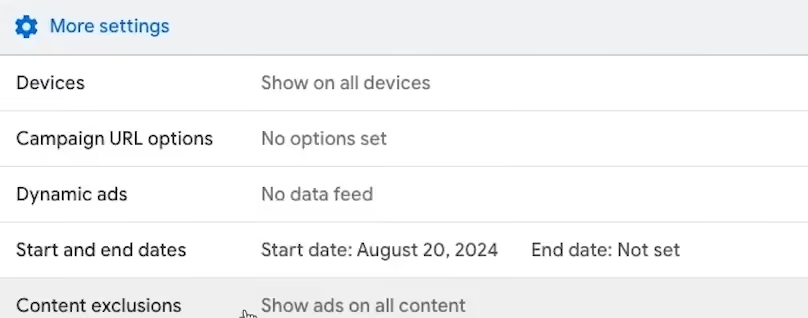
- Set budget and bidding
Enter your average daily budget under Budget.
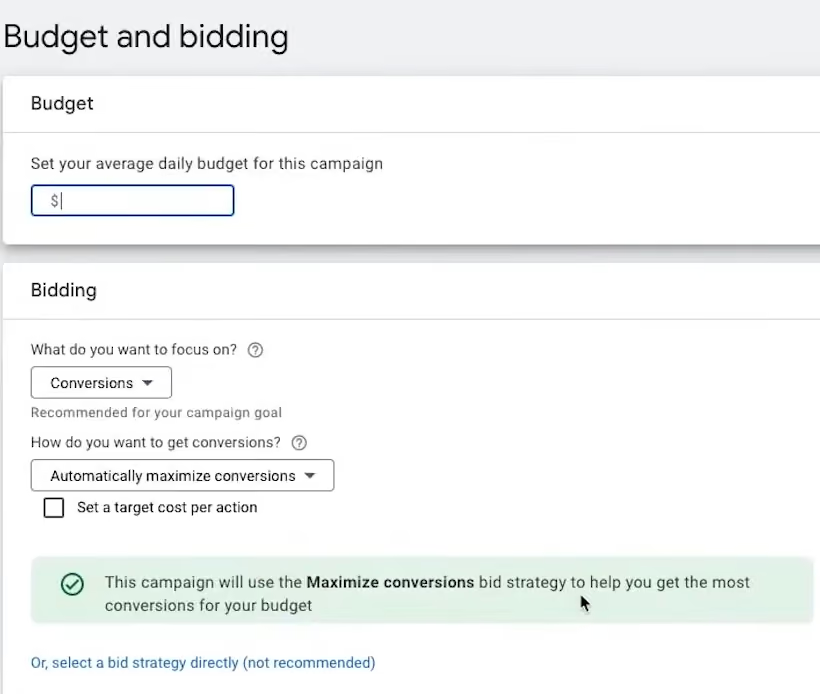
You can use Automated bidding (Maximise clicks, Viewable CPM) or Smart Bidding (Target CPA, Maximise conversions) strategies for Google Display campaigns. If none of these align with your objectives, choose Manual bidding (Manual CPC) instead.
- Set targeting
You can choose Optimised targeting, wherein Google finds the best-performing audience segments and keywords to target similar audiences.
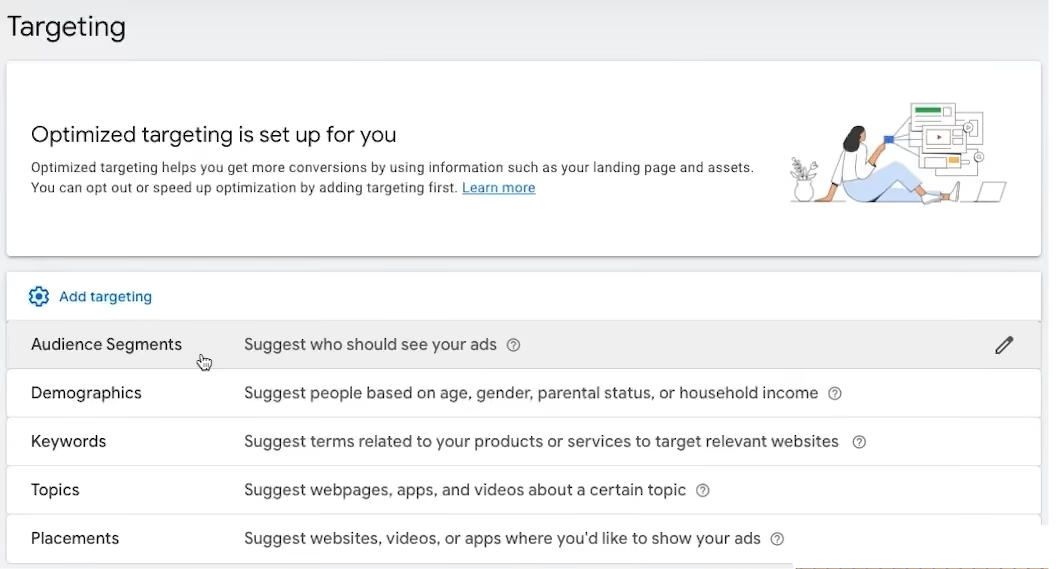
Or you may set up your targeting signals. To do so, click Add targeting and enter your targeting signals.
Under audience segments, you could add a Custom segment.
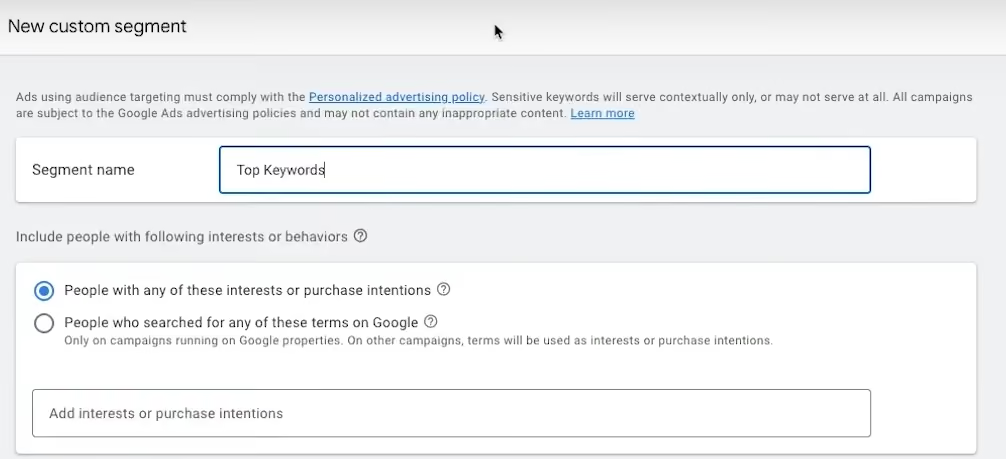
Uncheck the box in the Optimised targeting section labelled Use optimised targeting and click Next.
- Create ad
You can choose between creating a Responsive display ad or Upload display ad.
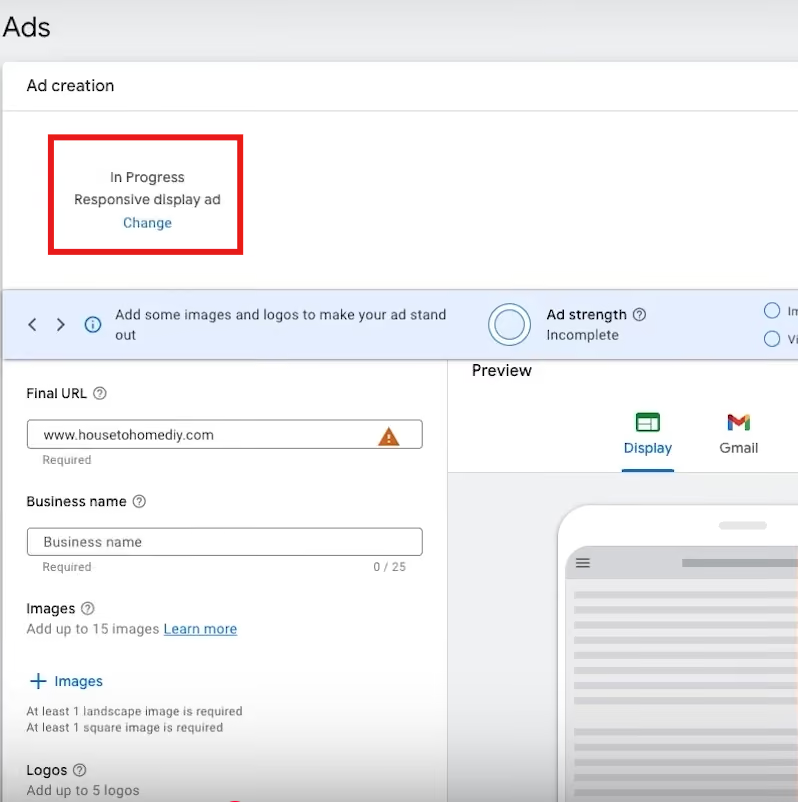
Responsive display ad (Image Source)
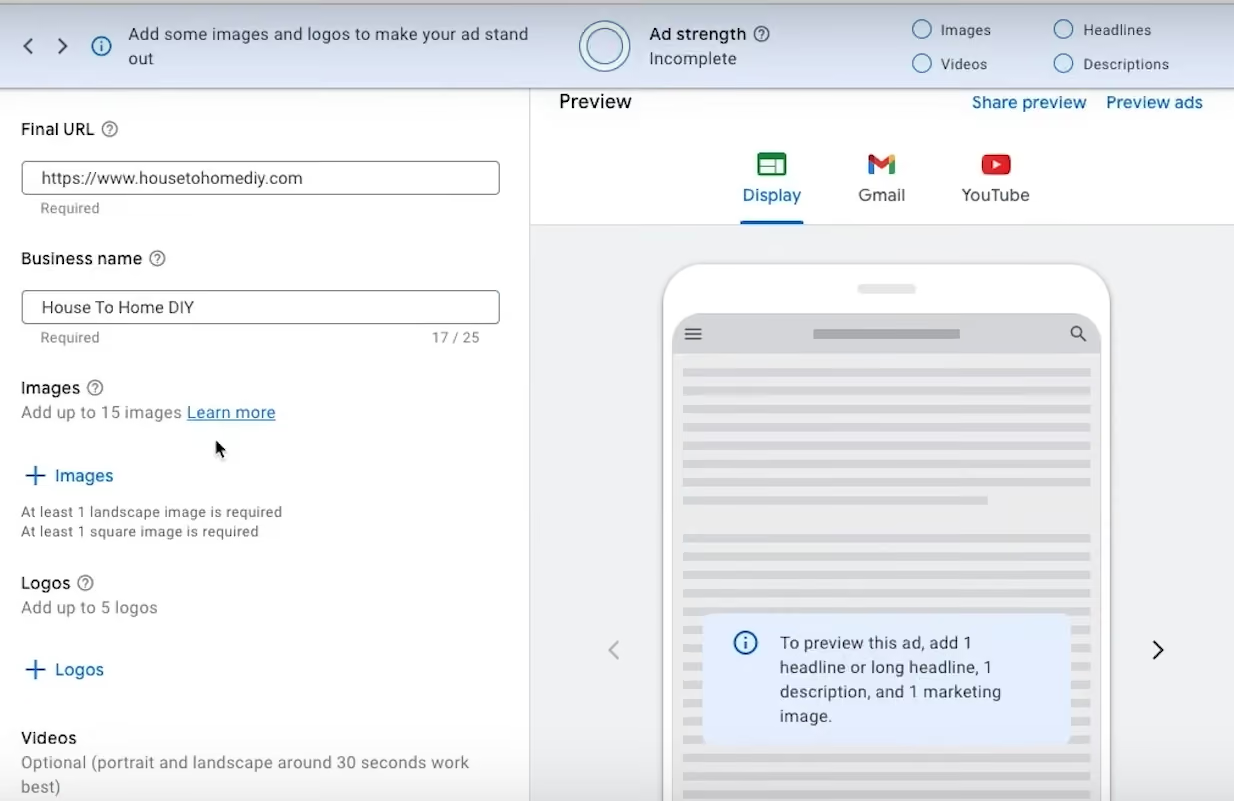
Upload display ad (Image Source)
Add the Final URL and Business name.
Next, upload your assets, including Images, Logos, Videos, Headlines, Long headline and Description.
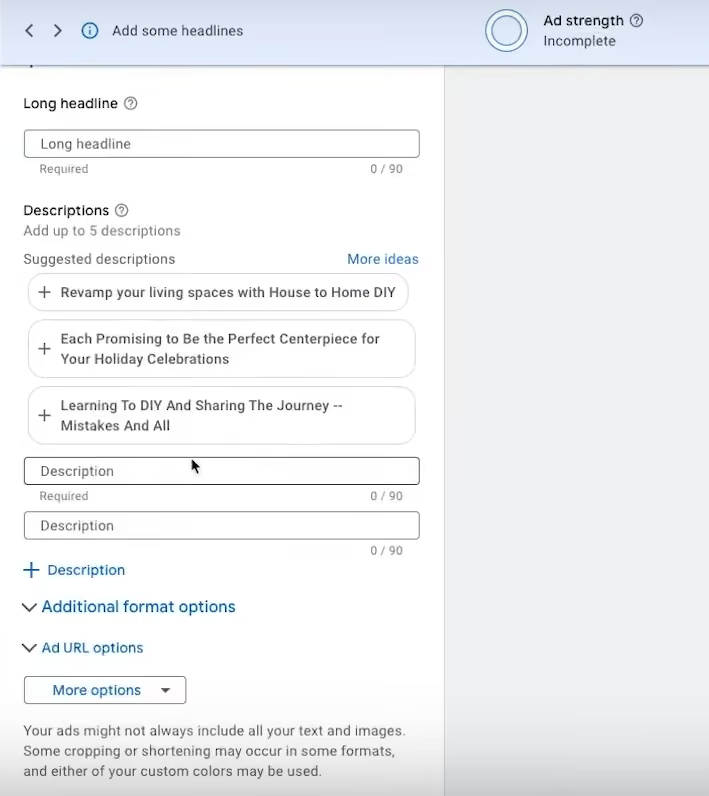
Under Ad URL options, click on More options and choose a CTA to match your objective.
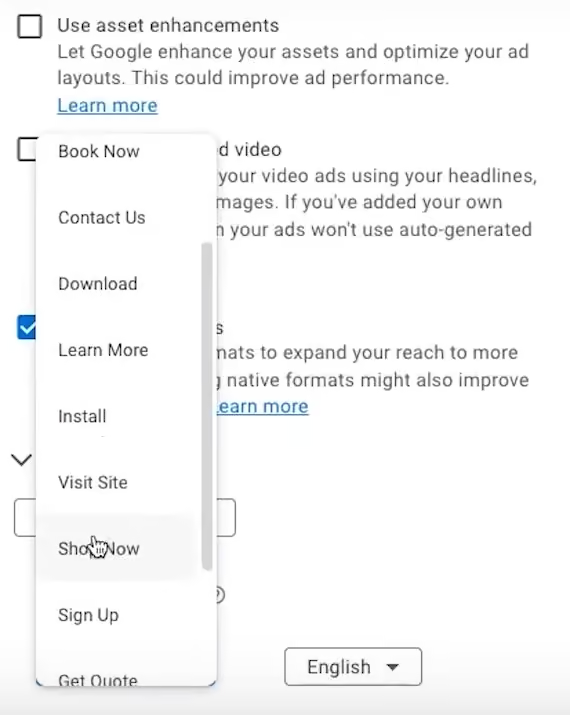
CTA options (Image Source)
Based on your assets, Google uses AI to generate the best ad combinations for its display network.
You can preview your Display ad before finalising it.
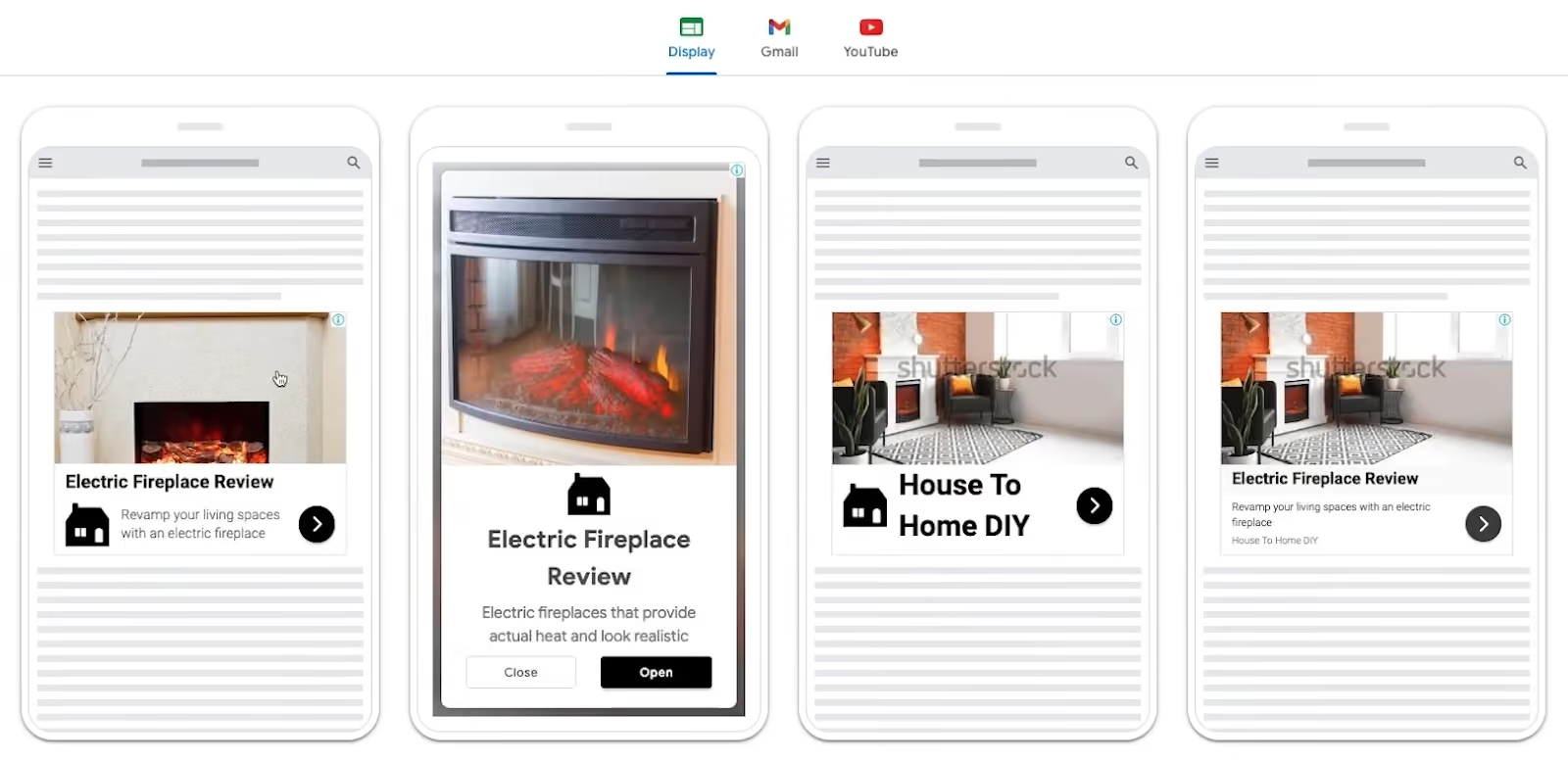
Lastly, you may opt out of Additional format options (such as Use asset enhancements and Use auto-generated video).
- Publish
After creating your display ad, click Next.
Review your campaign, and if you're ready to go live, hit Publish campaign.