
.svg)
.svg)
Auto buyers researching vehicles on Google use it for more than search. The search giant recognises this and operates multiple ad formats for different search needs.
That's where Demand Gen steps in.
What are Google Demand Gen campaigns?
Google Demand Gen campaigns are ideal for serving multi-format ads.
They're designed to capture buyer intent, engagement and action across the search giant's high-impact touchpoints. These touchpoints include YouTube (in-stream and in-feed), Shorts, Gmail and Discover.
Demand Gen ads are immersive, relevant and visually appealing to audiences. They're also purpose-built and AI-powered to drive actions, conversions and site visits for you.
Examples of automotive Demand Gen on Google
Audi uses multiple demand gen ad formats with creatives to push its latest or most popular models.
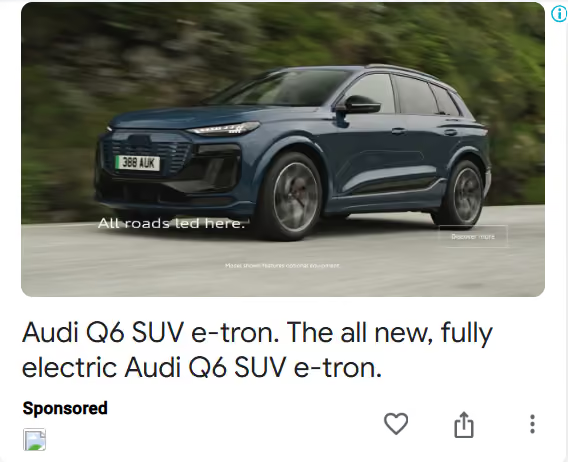
Source: Google Ads Library
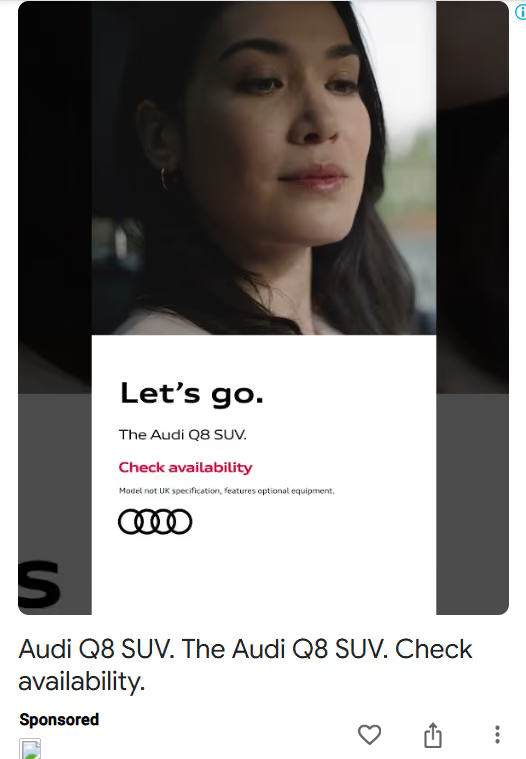
Source: Google Ads Library
Tesla leverages vertical video (such as YouTube Shorts) by focusing on its unique solutions.
For example, the ad below features Model Y's Trip Planner–a feature used to find charging stations and check the time until full charge.

Source: Google Ads Library
Why use Demand Gen for automotive lead generation
Demand Gen has continually gained momentum since its introduction in 2023.
Here's why you should explore them, too:
- Given Google's vast reach, Demand Gen can reach up to 3 billion monthly active users.
- 1 in 3 consumers have purchased something on Google feeds which they didn't intend to buy before.
- 63% of consumers find new brands and products on Google's feed, and 91% of them take action on seeing these brands and products immediately.
- Instead of relying solely on keywords, Demand Gen targets users based on their search behaviour. It leverages audience insights and signals to engage with leads where they're most receptive to your ad.
- It also helps you capture competitor interest by targeting audiences searching for your key competitors and their models.
- Demand Gen offers granular targeting where you can use postcodes to serve highly targeted ads near dealership locations.
- Smart bidding is available with Demand Gen. You can place bids for lead-driven ads and maximise clicks, conversions or conversion value.
How to create Google Demand Gen campaigns
Here's a quick guide to creating a Demand Gen campaign on Google:
- Create a campaign
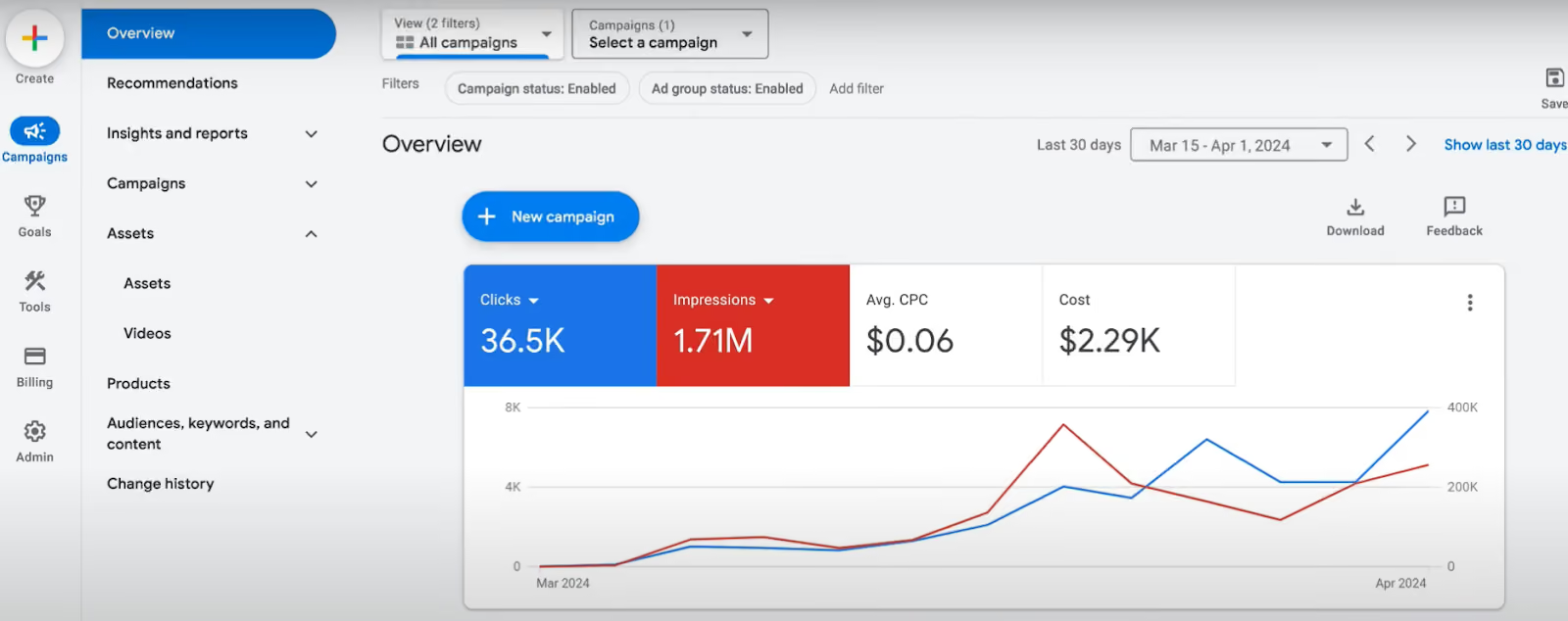
Login to your Google Ads account. On the Overview page, click +New Campaign.
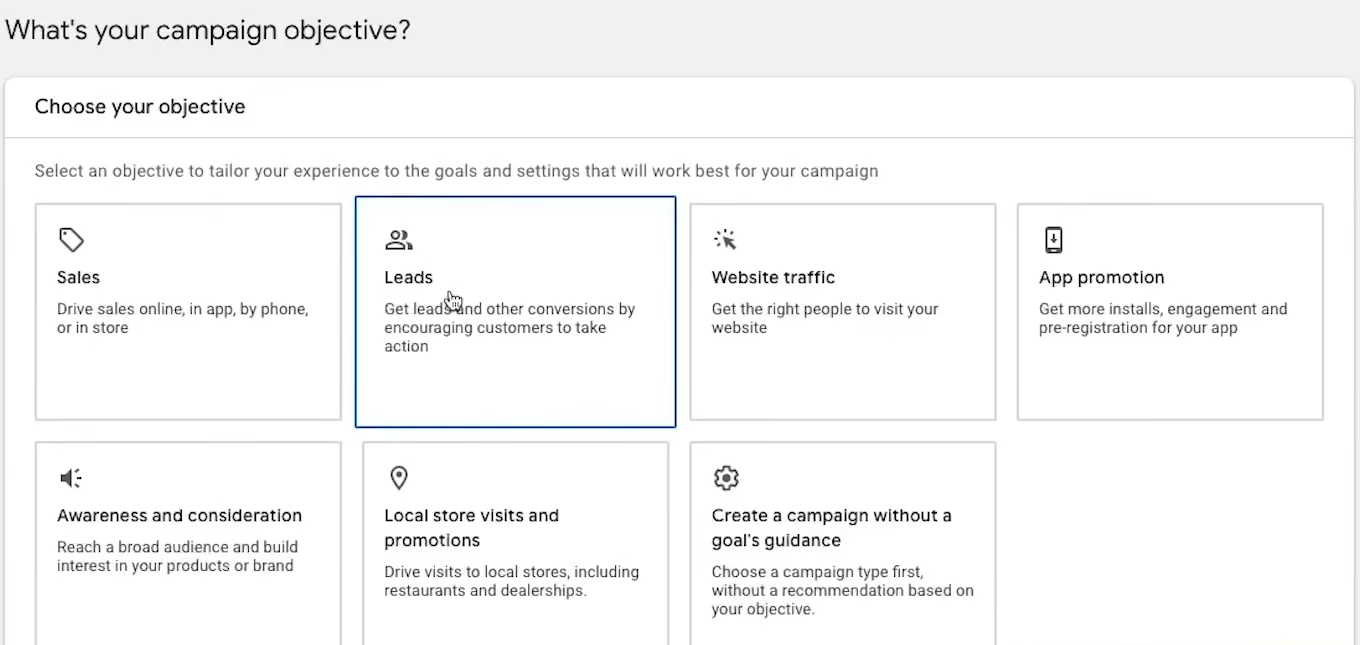
Select your Campaign Objectives under which Demand Gen is available–Sales, Leads, Website Traffic or Create a campaign without a goal's guidance.
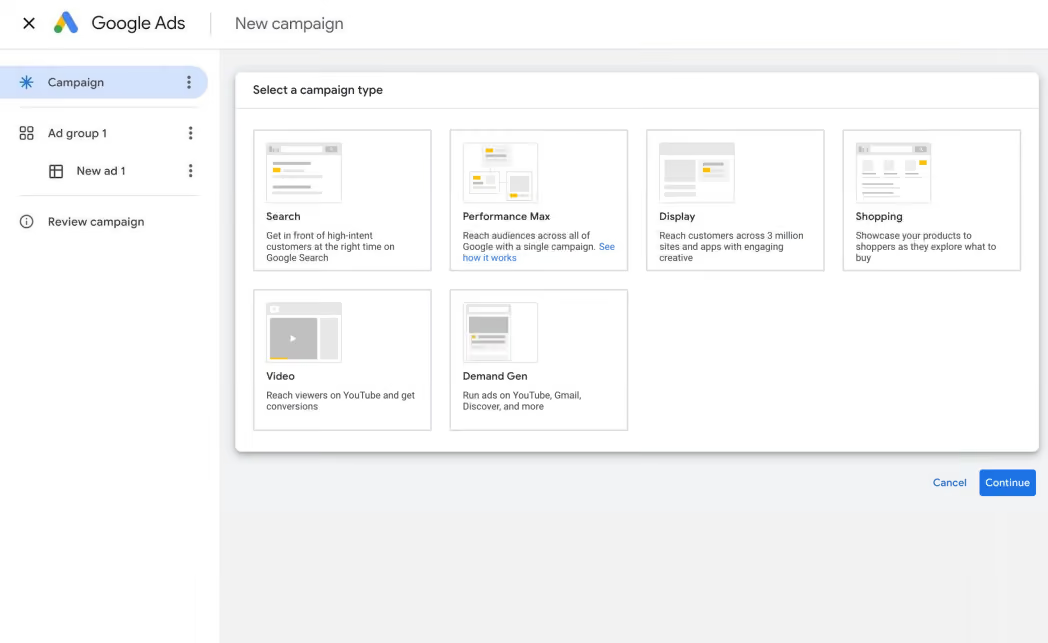
Next, choose Demand Gen as the Campaign Type.
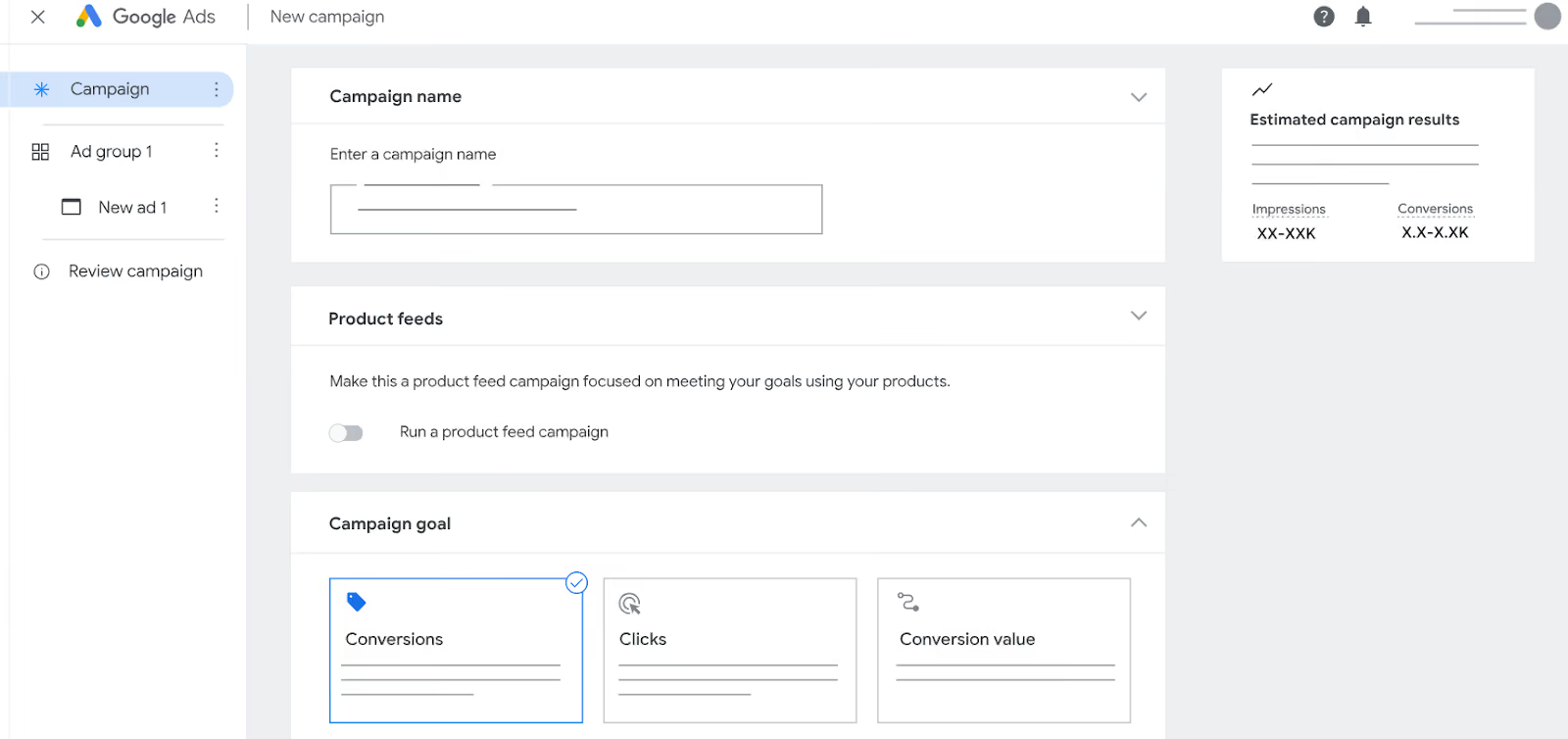
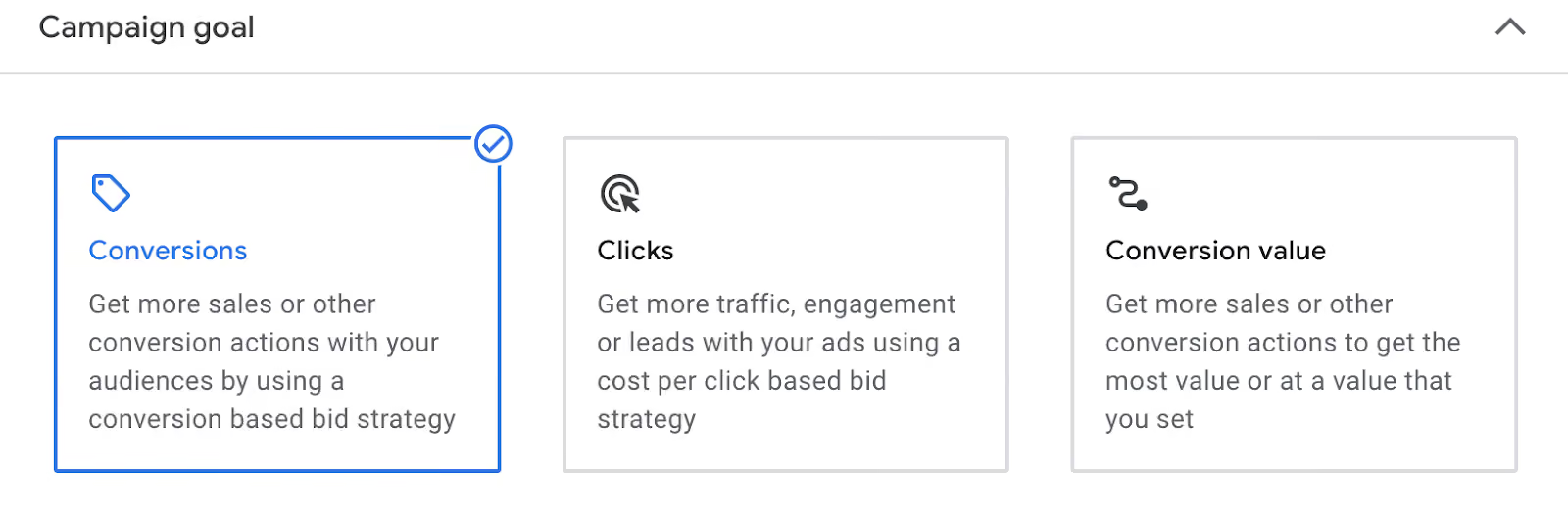
Enter the Campaign name and select your Campaign goal–Conversions, Clicks or Conversion value.
- Build the campaign
Add the Locations and Languages you want to target. The languages must be aligned to your ad language.
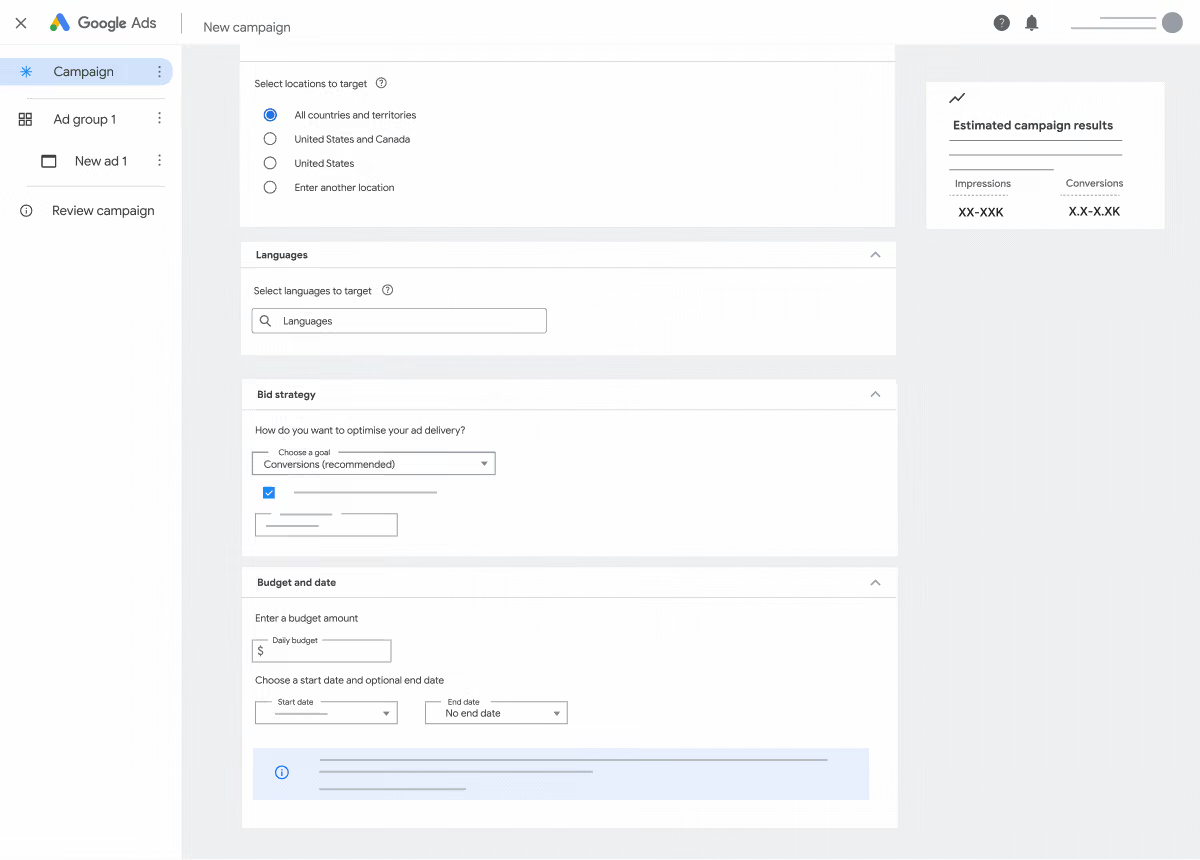
Next, you can add the Bid strategy and Budget.
Under your Bid strategy, you can choose to Maximise conversion value, Target return on ad spend (ROAS), Maximise conversions, Maximise clicks or Target cost per action (CPA).
💡 Hot Tip: If you don't know your Target CPA, go with your average CPA/ROAS optimised towards similar conversion goals over the last 30 days.
You could also run a 'maximise conversion' campaign for 30 days to learn your CPA and set it for future campaigns.
Add the Daily or Total budget and set the Start and end dates for when you want to run the ad.
- Build the audience
You can build your ad audience from existing custom segments, your own audience data or lookalike segments. Or select specific interests and demographics.
Using the audience builder, you can also create a New audience at the ad group level.
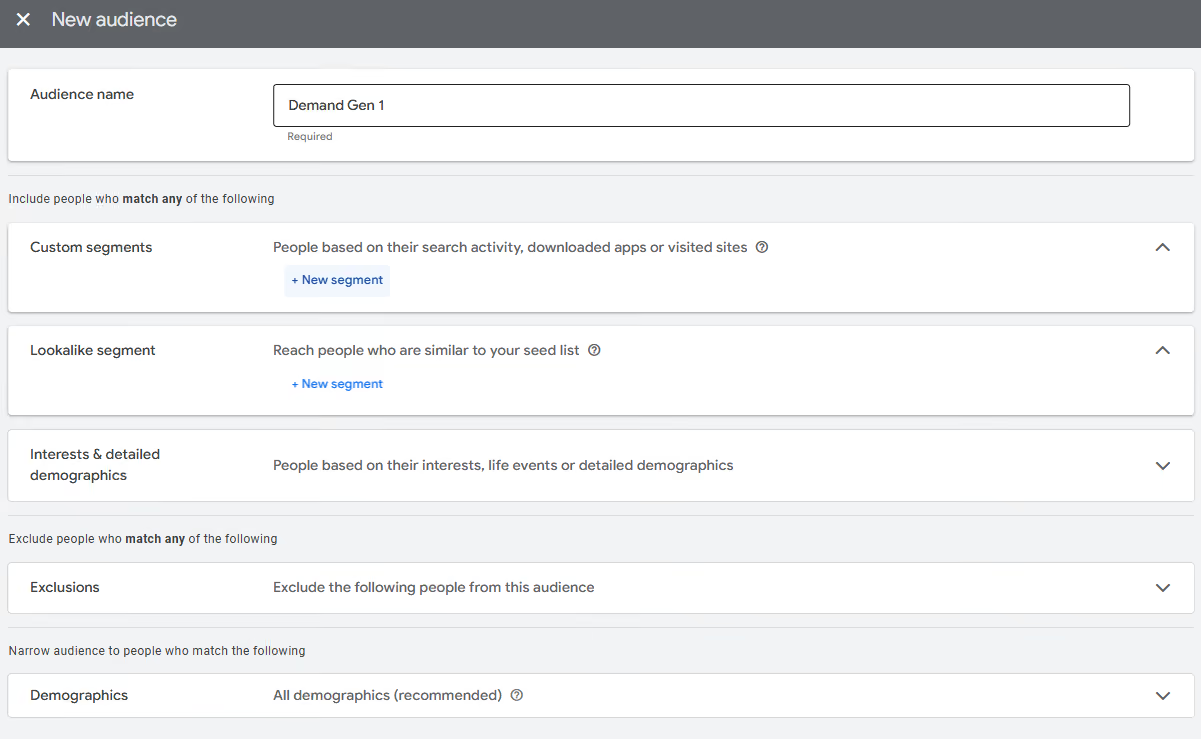
If optimised targeting is enabled, Google will target beyond your selected demographic signals to improve the overall campaign performance. You can deselect this if needed.
- Create an ad
At the ad group level, click on New ad.
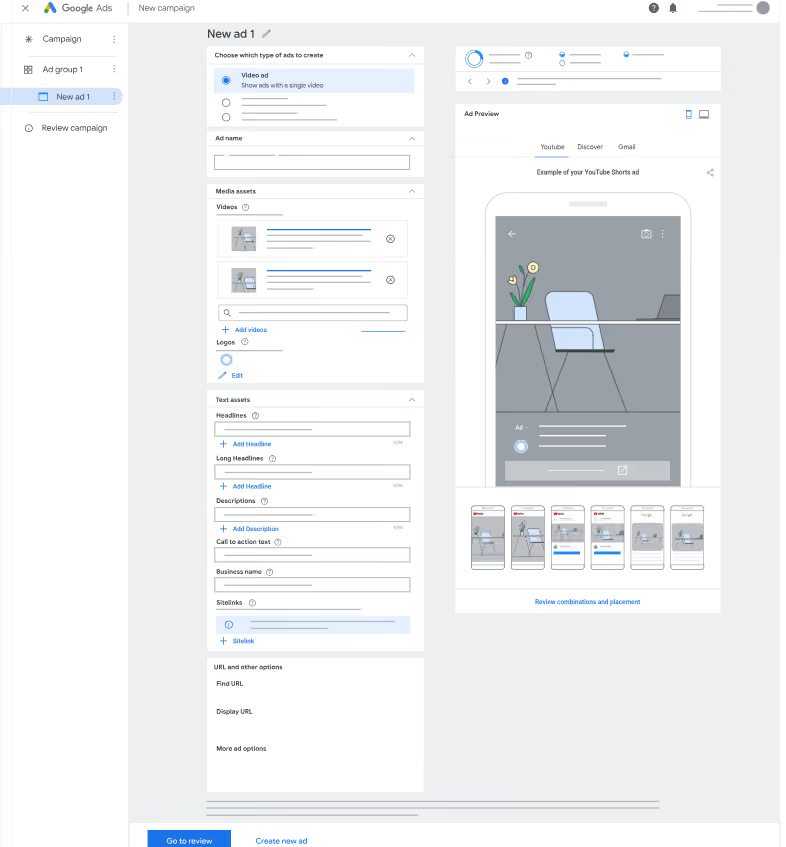
You can choose which format to use within the ad–Video ad, Single image ad or Carousel image ad (with multiple images).
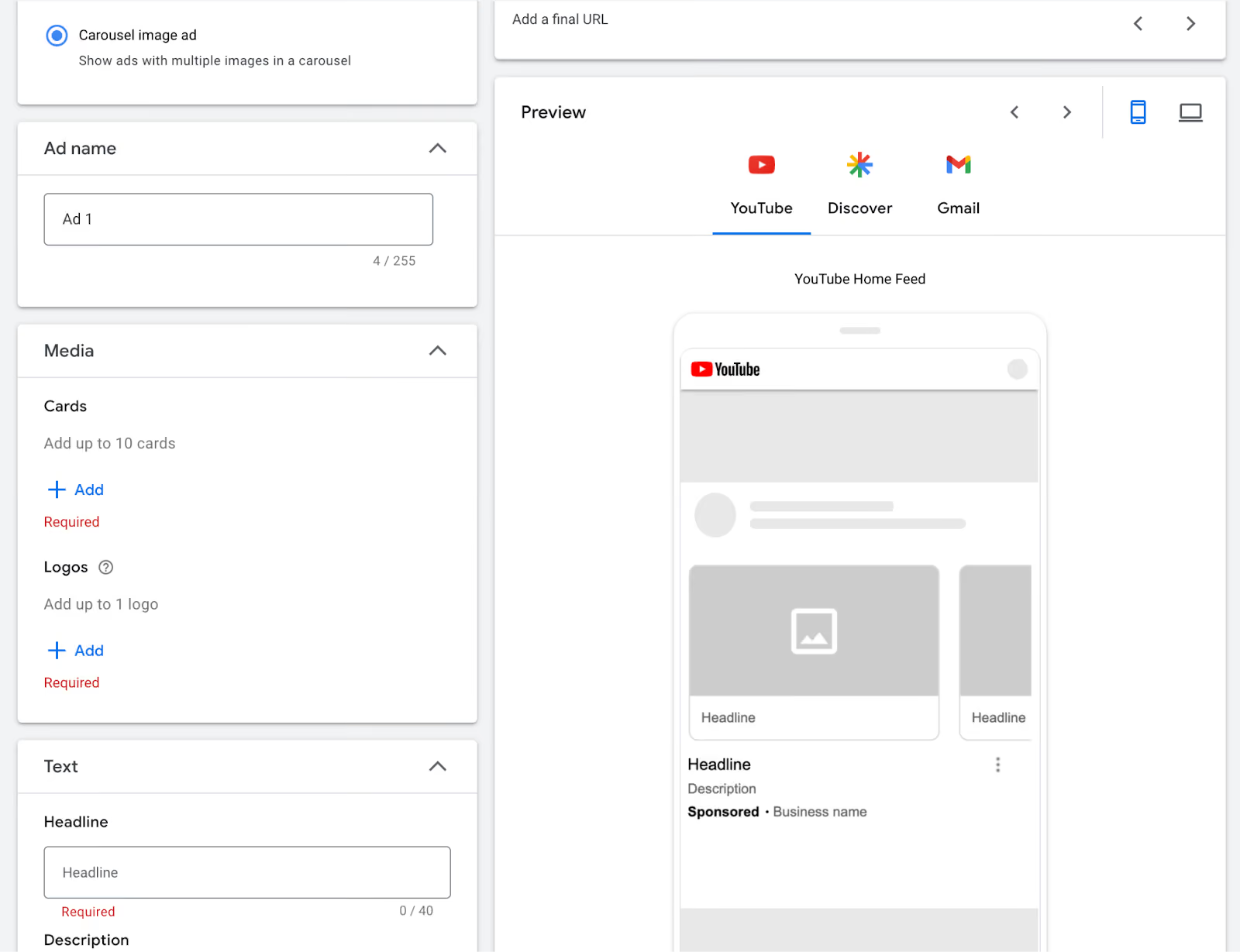
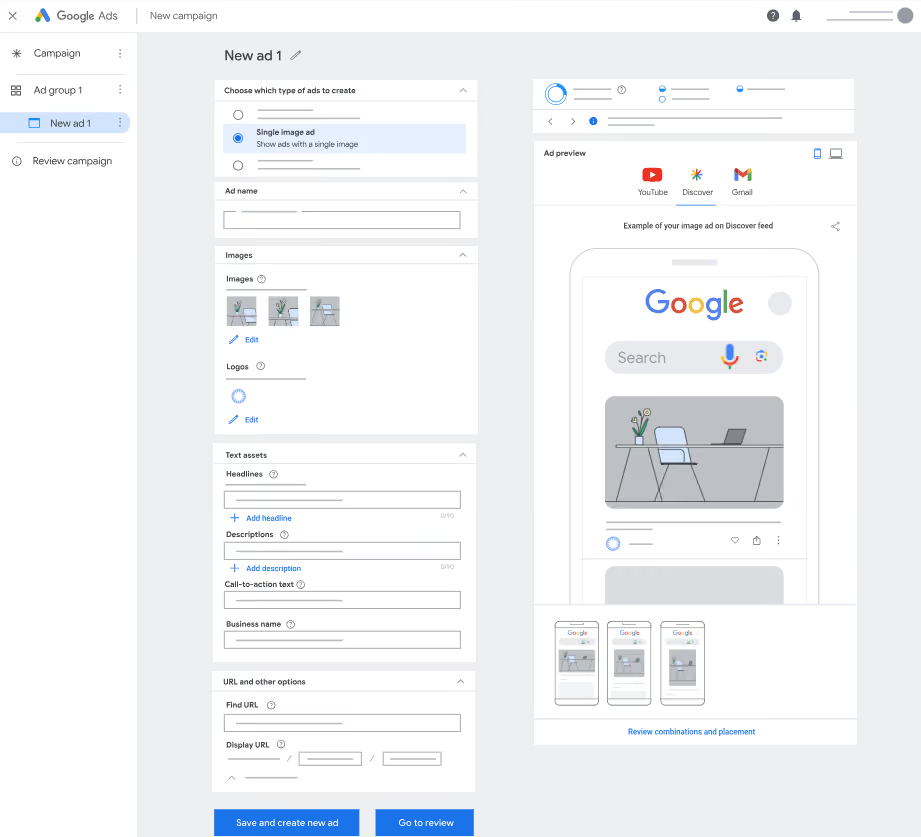
Once you've chosen the format, you can complete the rest of the details, which include:
- Ad name
- Select or add media
- Up to 5 logos
- Text assets
Use the ad strength rules to see how you can improve your ad for better performance.
Since Google updates its campaigns and ad inventories regularly, a lead form extension should typically be available.
If it's available, add the lead form extension. And if it isn't, you can use Driftrock's Landing Page forms.
Review the campaign and if everything is in order, you're ready to Publish.